

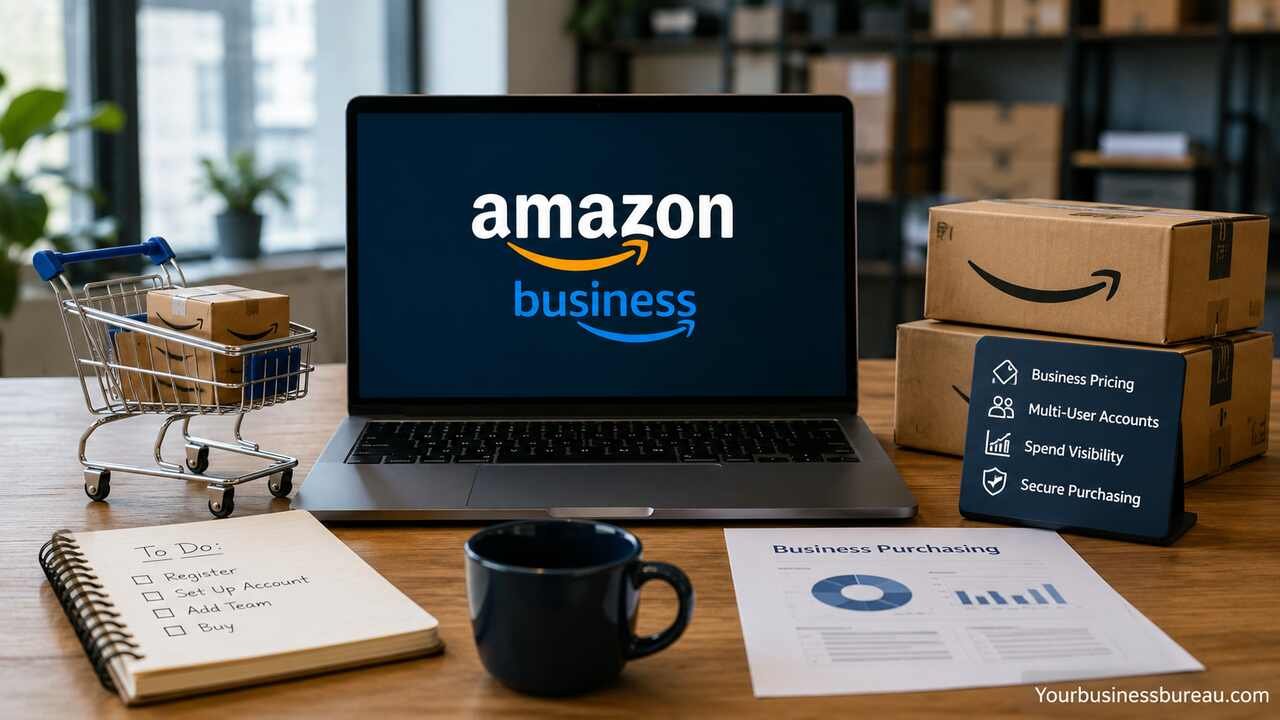
An Amazon Business account is designed to help organizations manage purchasing more efficiently by offering features beyond a regular Amazon account. It enables businesses of all sizes to streamline procurement, reduce costs, improve spending visibility, and use tools such as multi-user access, approval workflows, business pricing, tax exemption support, and purchasing analytics.
Create Your Amazon Business Account
Creating an Amazon Business account is straightforward, but setting it up correctly from the beginning helps your organization avoid future administrative issues.
Start by visiting Amazon Business and registering with a business email address whenever possible. Although some regions allow registration using a personal email, using your company domain improves account verification and makes user management easier.
During registration, you’ll provide details such as:
- Business name
- Business address
- Business phone number
- Industry
- Business size
- Tax information (where applicable)
- Company registration details (if requested)
Amazon may verify your business identity before activating certain features. Verification timelines vary depending on your country and the information submitted.
Once approved, the account becomes the purchasing hub for your organization instead of a personal shopping account.
Verify Your Business Information
Accurate business information ensures compliance with tax regulations and enables access to additional purchasing features.
Prepare the following information before verification:
| Information | Purpose | May Be Required |
| Business Name | Identity verification | Yes |
| Business Address | Shipping and billing | Yes |
| Tax ID | Tax compliance | Country dependent |
| Business Registration | Organization validation | Sometimes |
| Business Email | Account verification | Yes |
| Phone Number | Security verification | Yes |
Businesses operating across multiple locations should verify headquarters information first and later add additional delivery locations.
Proper verification also helps reduce purchasing interruptions caused by identity reviews.
Configure Business Profiles and Organization Settings
After registration, administrators should configure organizational settings before inviting employees.
Important settings include:
- Business profile
- Shipping addresses
- Payment methods
- Tax settings
- Invoice preferences
- Purchasing policies
- Default delivery options
Organizations with multiple departments can configure separate purchasing groups while maintaining centralized financial oversight.
These settings establish the procurement structure that employees will use daily.
Add Users and Assign Organizational Roles

One of the biggest advantages of Amazon Business is collaborative purchasing.
Instead of sharing one login among employees, administrators can invite individual users.
Common roles include:
| Role | Main Responsibility |
| Administrator | Full account management |
| Buyer | Purchase products |
| Finance Manager | Monitor spending and invoices |
| Approver | Review purchase requests |
| Group Manager | Manage department purchasing |
Assigning appropriate permissions improves security while ensuring purchasing responsibilities remain clearly defined.
Growing businesses often organize users into departments such as:
Department-level management simplifies budgeting and spending control.
Organize Purchasing Groups
Purchasing groups help businesses separate spending across departments without creating multiple business accounts.
For example:
- IT purchases computers
- Marketing purchases promotional products
- Facilities purchases maintenance supplies
- HR purchases office furniture
- Warehouse purchases operational equipment
Each group can have different payment methods, shipping addresses, approval rules, and purchasing restrictions.
This organizational structure supports scalable procurement as businesses grow.
Configure Approval Workflows
Approval workflows prevent unauthorized purchases while maintaining purchasing efficiency.
Administrators can create approval rules based on:
- Purchase amount
- Product category
- Employee role
- Department
- Budget threshold
For example:
| Purchase Amount | Approval Requirement |
| Under $100 | Automatic approval |
| $100–$500 | Department manager |
| Over $500 | Procurement manager |
| Large capital purchases | Executive approval |
Approval automation reduces manual oversight while strengthening financial controls.
Manage Payment Methods and Billing
Businesses typically use multiple payment options for different purchasing scenarios.
Common payment methods include:
- Business credit cards
- Corporate purchasing cards
- Business debit cards
- Invoice payment (eligible businesses)
- Shared payment methods
Administrators can restrict payment methods by department or purchasing group.
Separating payment methods improves accounting accuracy and simplifies monthly reconciliation.
Invoice management also becomes easier when purchase orders and receipts remain centralized.
Optimize Product Search for Business Purchasing

Amazon Business includes search features designed for procurement professionals.
Businesses can compare products using:
- Business pricing
- Quantity discounts
- Seller ratings
- Delivery speed
- Sustainability certifications
- Brand reputation
- Warranty availability
Purchasing decisions become more informed when buyers evaluate the total value rather than focusing solely on price.
Consistent vendor selection also helps standardize purchasing across departments.
Take Advantage of Business-Only Pricing
Many manufacturers and sellers offer pricing available exclusively to Amazon Business customers.
Potential savings include:
- Business-exclusive prices
- Bulk purchasing discounts
- Quantity pricing
- Multi-unit offers
- Contract pricing for eligible organizations
Savings become more significant when businesses consolidate purchasing through one centralized account.
Comparing quantity pricing before placing large orders often results in noticeable cost reductions.
Use Tax Exemption Features
Qualified organizations may be eligible for tax exemption support depending on local regulations.
Examples include:
- Nonprofit organizations
- Educational institutions
- Government agencies
- Qualified businesses with resale certificates
Administrators should upload valid documentation before making tax-exempt purchases.
Maintaining updated tax documentation prevents delays during procurement.
Monitor Spending with Purchasing Analytics
Business purchasing generates valuable financial data.
Amazon Business reporting tools help organizations analyze:
| Analytics Category | Business Benefit |
| Department Spending | Budget monitoring |
| Product Categories | Purchasing trends |
| Top Suppliers | Vendor management |
| Monthly Purchases | Forecasting |
| Order History | Audit support |
| Cost Savings | Procurement optimization |
Regular analysis identifies opportunities for supplier consolidation and budget improvements.
Financial managers can use historical purchasing trends to improve annual planning.
Improve Inventory Purchasing
Organizations frequently purchase recurring operational supplies.
Examples include:
- Office supplies
- Printer toner
- Cleaning products
- Safety equipment
- Computer accessories
- Packaging materials
Businesses benefit from maintaining standardized purchasing lists for commonly ordered products.
This reduces duplicate purchases and improves inventory consistency.
Recurring purchasing also saves employee time.
Simplify Recurring Orders
Many organizations repeatedly order the same products every month.
Instead of manually placing identical orders, administrators can establish recurring purchasing processes where available.
Typical recurring purchases include:
- Coffee supplies
- Cleaning materials
- Paper products
- Office stationery
- Warehouse consumables
- Maintenance supplies
Automating routine procurement reduces administrative workload while minimizing stock shortages.
Integrate Procurement with Business Operations
Larger organizations often integrate purchasing into broader financial workflows.
Amazon Business supports integration capabilities with various procurement and expense management systems, depending on the region and business requirements.
Typical integration goals include:
- Purchase order management
- Expense reporting
- ERP synchronization
- Accounting workflows
- Procurement automation
Integration reduces manual data entry and improves financial accuracy.
Organizations should evaluate compatibility with their existing software before implementation.
Strengthen Security and Account Administration
Business purchasing involves financial information that requires strong security practices.
Administrators should:
- Enable multi-factor authentication
- Review user permissions regularly
- Remove inactive employees
- Monitor unusual purchasing activity
- Restrict administrator access
- Review approval policies periodically
Security reviews reduce organizational risk while maintaining purchasing flexibility.
As the business grows, governance becomes increasingly important.
Expand Purchasing Across Multiple Locations
Businesses operating from multiple offices or warehouses can centralize procurement while maintaining location-specific delivery.
Administrators can configure:
- Multiple shipping addresses
- Department budgets
- Regional purchasing groups
- Separate approvers
- Location-specific reporting
This structure provides centralized oversight without sacrificing operational flexibility.
Companies with expanding operations benefit from consistent purchasing policies across all facilities.
Resolve Common Amazon Business Account Issues
Most setup and purchasing issues can be resolved quickly with proper account management.
Common challenges include:
| Issue | Typical Solution |
| Verification delays | Confirm submitted business details |
| User invitation not received | Verify email address and resend invitation |
| Payment declined | Update payment information or contact issuer |
| Approval workflow issues | Review purchasing policies and user roles |
| Tax exemption not applied | Confirm tax documentation is current |
| Order visibility problems | Check user permissions and group settings |
Maintaining accurate account information and periodically reviewing administrative settings helps minimize these issues.
Compare Amazon Business and Personal Amazon Accounts
Understanding the differences between a business account and a personal account helps organizations choose the appropriate option.
| Feature | Amazon Business | Personal Amazon Account |
| Multi-user access | Yes | No |
| Approval workflows | Yes | No |
| Business pricing | Yes | No |
| Quantity discounts | Yes | Limited |
| Spending analytics | Yes | Basic order history |
| Tax exemption support | Available for eligible organizations | Limited |
| Department purchasing | Yes | No |
| Shared payment management | Yes | No |
For organizations with multiple employees or recurring procurement needs, the business account offers significantly greater control and visibility.
Scale Your Procurement Strategy
As purchasing volume grows, organizations should continuously refine their procurement strategy.
Review purchasing patterns quarterly to identify opportunities for consolidating vendors, negotiating better pricing, and eliminating unnecessary spending. Encourage departments to standardize commonly purchased items to reduce variation and simplify inventory management.
Establish clear procurement policies that define spending limits, approval requirements, preferred suppliers, and documentation standards. Regular training ensures employees understand these policies and use the platform effectively.
Finally, use spending reports to support budgeting, forecast future purchasing needs, and measure cost-saving initiatives. A well-managed procurement process not only reduces expenses but also improves operational efficiency and strengthens financial governance.
Conclusion
An Amazon Business account is much more than an online shopping profile. It serves as a centralized procurement platform that helps organizations manage purchasing, control expenses, improve visibility, and support collaboration across departments. Features such as multi-user access, approval workflows, business-only pricing, tax exemption support for eligible organizations, detailed reporting, and purchasing groups allow businesses to streamline procurement while maintaining strong financial oversight.
Whether you are a freelancer ordering office supplies, a growing small business managing multiple employees, or a large enterprise overseeing complex procurement operations, investing time in properly configuring your Amazon Business account can lead to better purchasing decisions, improved operational efficiency, and long-term cost savings.
FAQ’s
Yes. Creating an Amazon Business account is generally free. Some optional services or integrations may have separate costs depending on your region and business needs.
In many regions, Amazon allows users to convert an existing personal account or create a separate business account. The available options depend on the marketplace and your account setup.
Yes. Administrators can invite multiple users and assign different roles, permissions, and approval responsibilities without sharing a single login.
Many products include business-exclusive pricing, bulk discounts, and quantity-based offers, although availability varies by seller, product, and region.
Yes. Sole proprietors, startups, and small businesses can benefit from centralized purchasing, better expense tracking, user management, and access to business-focused buying features.
Eligible organizations may enroll in applicable tax exemption programs by submitting the required documentation. Availability and requirements depend on your country’s tax regulations.
