

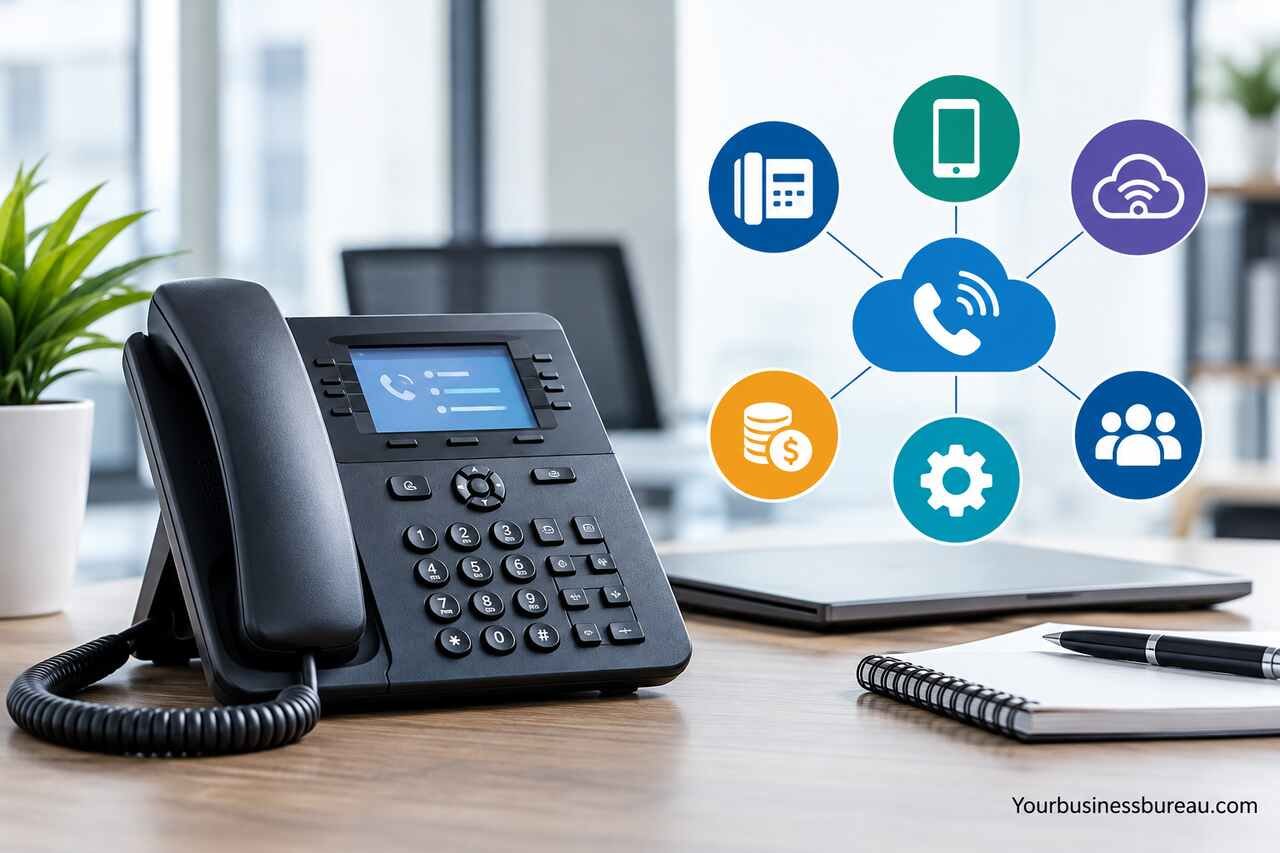
A business telephone line is a dedicated communication service that helps companies manage customer calls, improve professionalism, and keep business conversations separate from personal calls. Businesses can choose from traditional landlines, VoIP systems, cloud-based services, and virtual phone numbers based on their needs and budgets.
What Is a Business Telephone Line and How Does It Work?
A business telephone line is a phone service designed to support professional communications between a company, its customers, employees, suppliers, and business partners. Unlike a personal phone number, a business line can offer features such as call routing, voicemail, extensions, automated greetings, and multiple-user access.
A business telephone line does not necessarily require a physical telephone cable or office desk phone. Many modern services operate through an internet connection, allowing employees to answer calls using computers, smartphones, or compatible office phones.
For example, a small accounting firm might use one main business number that directs callers to different employees. A retail business could use the same number to handle customer inquiries, order updates, and supplier communications without sharing employees’ personal phone numbers.
How Does a Business Phone Line Handle Incoming and Outgoing Calls?
A business phone system connects incoming calls to the appropriate person, department, or device based on configured rules. Calls may ring several employees simultaneously, follow a predetermined sequence, or reach an automated menu that lets customers choose a department.
Outgoing calls can display the company’s business number rather than an employee’s personal number. However, caller ID display depends on provider support, carrier policies, and device configuration. Businesses should test this feature before relying on it for customer communications.
What Is the Difference Between a Business and Personal Phone Line?
A personal phone line primarily serves one individual, while a business telephone line is designed to support organizational communication and potentially multiple users.
Business systems commonly provide centralized administration, shared call handling, business-hour schedules, reporting, and additional security controls. These capabilities help companies maintain consistent communication even when employees are unavailable, working remotely, or handling several customer calls.
Types of Business Telephone Lines Available in the U.S.
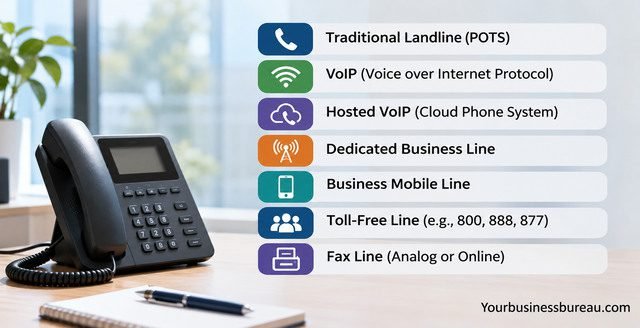
Businesses in the United States can choose from traditional landlines, VoIP services, virtual phone systems, and mobile business plans. The right option depends on your internet reliability, employee locations, calling requirements, and budget.
Traditional telephone services rely on physical network infrastructure, while internet-based systems transmit voice communications using data networks. Mobile business plans use cellular networks and may offer centralized account management for company-owned devices.
The important distinction is that these technologies do not always provide identical features or emergency calling capabilities. Before selecting a service, evaluate how employees will use it and what happens when electricity or internet access becomes unavailable.
Traditional Landline vs. VoIP Business Phone Systems
Traditional landlines generally provide a familiar calling experience and may be suitable for locations with limited internet connectivity. However, legacy copper-based service can be expensive or unavailable in some markets, and providers are increasingly transitioning customers to newer network technologies.
VoIP systems convert voice into digital data and transmit calls over an IP network. They can support advanced features without requiring a separate telephone line for every employee. Their performance depends on network quality, bandwidth, configuration, and provider reliability.
| Feature | Traditional landline | VoIP phone system |
| Connection | Telephone network infrastructure | Internet or managed IP network |
| Installation | May require on-site wiring | Often configured remotely |
| Remote working | Usually requires additional arrangements | Commonly supported |
| Call routing | Depends on system | Commonly available |
| Scalability | May require hardware or service changes | Often easier to expand |
| Power outages | Depends on service and equipment | Requires backup power and connectivity |
| Typical suitability | Fixed-location operations | Small businesses and distributed teams |
Virtual Business Phone Numbers and Mobile Solutions
A virtual business phone number allows a company to receive calls through an application, forwarding service, or cloud-based phone platform. It is particularly useful for freelancers, consultants, online stores, and businesses without permanent office locations.
Mobile business plans offer another alternative, especially for field employees who primarily communicate through cellular devices. Some companies combine mobile service with a virtual number to maintain a professional business identity while allowing employees to work from different locations.
How Much Does a Business Telephone Line Cost in 2026?
The cost of a business telephone line depends on the technology, provider, number of users, calling features, equipment, and service agreement. For budgeting purposes, many small-business VoIP plans fall around $15 to $40 per user per month, although actual quotes can be lower or substantially higher.
Traditional business telephone service may cost more, particularly when installation, additional lines, long-distance calling, or maintenance are required. Virtual phone services can be relatively inexpensive when you need only one number and basic forwarding.
Pricing is not always directly comparable. One provider may include unlimited domestic calling, while another charges separately for certain destinations, call recording, toll-free usage, or additional numbers. Taxes and telecommunications-related fees may also increase the final bill.
Typical Business Phone Service Costs
The following figures are illustrative U.S. budgeting ranges, not verified provider quotes or guaranteed November 2026 prices.
| Business phone option | Illustrative monthly cost | Common additional expenses |
| Basic virtual phone service | 10–30 per user or account | Extra numbers, usage, messaging |
| Small-business VoIP | 15–40 per user | Desk phones, premium features |
| Advanced cloud phone system | 30–60+ per user | Integrations, analytics, recording |
| Traditional business landline | 40–100+ per line | Installation, equipment, long-distance calls |
| Business mobile service | 25–70+ per line | Devices, data, international usage |
Costs vary considerably by location, billing term, service configuration, and promotional offers. Confirm whether quoted prices require annual payment or a minimum number of users.
Hidden Costs to Consider Before Signing a Contract
The advertised monthly subscription is only part of the total cost. You should also consider equipment purchases, number-porting charges where applicable, installation, internet upgrades, international calls, and early termination fees.
For example, a five-person company paying $25 per user monthly would spend $125 per month before additional charges, or $1,500 annually. Adding desk phones, premium call recording, or upgraded internet service could increase the first-year cost.
Request an itemized quote showing recurring fees, one-time charges, and contract conditions before committing.
Essential Features to Look for in a Business Phone System
A reliable business telephone line should do more than connect calls. The most useful systems help your employees respond promptly, organize conversations, and maintain consistent service when the business becomes busy.
Features such as voicemail-to-email, call forwarding, auto-attendants, and shared call queues can reduce missed opportunities. However, not every company needs advanced analytics or complex contact-center software.
A small landscaping business may benefit most from mobile call forwarding and business-hour greetings. A growing customer support team might require call queues, supervisor reporting, and integration with customer relationship management software.
Call Forwarding, Voicemail, and Automated Attendants
Call forwarding directs incoming calls to another number, employee, or device. This helps maintain accessibility when employees work remotely or travel between locations.
Voicemail-to-email can deliver messages or notifications to an employee’s inbox, making follow-up easier. An automated attendant welcomes callers and offers menu options such as sales, billing, or customer support. When configured clearly, these features help customers reach the correct department without unnecessary transfers.
Call Recording, Analytics, and Business Integrations
Call recording may support employee training, quality assurance, and documentation, but businesses must comply with applicable federal and state recording and consent laws. State requirements vary, and interstate calls may involve additional legal considerations.
Call analytics can show call volume, missed calls, peak periods, and average handling times. Integrations with CRM platforms may also help employees connect calls with customer records. Before enabling these features, review privacy controls, data retention policies, access permissions, and integration costs.
How to Choose the Best Business Telephone Line Provider
Choosing a business telephone line provider starts with identifying your actual communication needs. Consider how many employees need access, whether calls must reach multiple locations, and which features directly support your operations.
Compare providers based on reliability, transparent pricing, customer support, contract flexibility, security, and ease of administration. Popular U.S. business communications providers include RingCentral, Nextiva, Zoom Phone, and Ooma Office, although availability, pricing, and capabilities differ by plan.
Avoid choosing solely on a promotional monthly price. A slightly more expensive service with dependable support, straightforward administration, and the right features may offer better long-term value than a cheaper system requiring frequent workarounds.
Evaluate Reliability, Security, and Customer Support
Ask providers about service availability commitments, outage notifications, redundancy, and disaster recovery procedures. A published uptime target is not the same as a guarantee that your specific office will never experience interrupted calls.
Security also matters. Look for multifactor authentication, appropriate encryption protections, administrator permissions, fraud prevention controls, and clear policies for customer information. Confirm what support channels are available and whether assistance is included outside normal business hours.
Match the Phone System to Your Business Size
Different business sizes have different communication requirements.
- Solo entrepreneurs: A virtual number or basic VoIP plan may provide sufficient separation between personal and business calls.
- Small teams: Shared numbers, extensions, voicemail, and basic call routing can simplify communication.
- Growing companies: Cloud phone systems with centralized administration, analytics, and integrations can support expansion.
- Multi-location businesses: Consistent routing, location management, and centralized reporting may be especially valuable.
Choose a system that supports realistic growth without paying for advanced features your employees will rarely use.
How to Set Up a Business Telephone Line Step by Step

Setting up a business telephone line is usually straightforward when you select a cloud-based or virtual phone service. Many providers allow you to register online, choose a number, assign users, and configure calling features without an on-site technician.
Traditional phone installations may require appointments, wiring assessments, or equipment configuration. The process also becomes more involved if you are transferring an existing telephone number or connecting the service to office networking equipment.
Before activating your service, determine who should answer calls, how unanswered calls will be handled, and what customers should hear outside business hours. These decisions are as important as the technology itself.
Choose a Number and Configure Your Phone Service
Begin by choosing a local number, toll-free number, or an existing number you want to transfer. A local number may be useful for businesses serving a particular geographic area, while a toll-free number can support a broader customer base.
Next, create user accounts, configure extensions, record a professional greeting, and set business hours. If you are porting an existing number, do not cancel the old service until the transfer is complete. Number portability is subject to applicable rules and provider procedures, and some numbers or service types may have restrictions.
Test Call Quality and Prepare for Service Interruptions
Before publishing your business number, test incoming and outgoing calls from multiple networks and devices. Check audio clarity, call transfers, voicemail delivery, and caller ID behavior.
For VoIP service, verify that your internet connection can handle simultaneous calls alongside other business traffic. Consider backup internet access and an uninterruptible power supply for networking equipment.
You should also confirm how 911 calling works. Nomadic VoIP users may need to maintain accurate registered emergency locations, and service interruptions can affect emergency access. A separate cellular backup may be appropriate, but it should not replace a properly configured emergency calling plan.
How to Manage and Optimize Your Business Telephone Line
Effective phone management helps you get more value from your business telephone line after installation. The goal is to make communication dependable, reduce unnecessary interruptions, and ensure customers can reach the right person.
Start by establishing clear rules for answering calls, returning messages, transferring callers, and handling urgent inquiries. Employees should understand who owns each type of request and when to escalate an unresolved issue.
Review the phone system periodically as your business changes. New employees, additional locations, seasonal demand, or expanded operating hours may require adjustments to call routing, licenses, and available features.
Improve Customer Experience With Better Call Handling
Customers generally appreciate clear greetings, reasonable wait times, and straightforward access to assistance. Avoid creating complicated automated menus that make callers repeatedly select options before reaching someone who can help.
For example, a local repair company could route appointment inquiries to scheduling staff and urgent service requests to an available technician. After-hours calls could reach voicemail with a realistic response-time expectation. This approach provides useful guidance without requiring employees to remain available around the clock.
Monitor Performance and Reduce Unnecessary Expenses
Use available call reports to identify missed calls, busy periods, and frequently requested services. These patterns can help you adjust staffing schedules or improve automated routing.
Review your monthly invoices for unused licenses, unnecessary add-ons, and unexpected usage charges. If employees rarely use desk phones, a supported mobile or desktop application may reduce hardware costs.
Regularly review user permissions and remove access when employees leave. Good account management improves security and helps prevent paying for services your business no longer needs.
FAQ’s
Yes. Virtual phone numbers and cloud-based VoIP services allow businesses to operate without a permanent office. You can receive business calls through supported mobile applications, computers, or other devices. Some providers require a valid business or billing address, and emergency calling arrangements must be configured appropriately.
Yes. Many business phone applications allow you to make and receive calls through your existing smartphone while displaying a separate business number. This can help protect your personal number and organize business communications. Availability of features such as texting, voicemail, and call recording depends on the provider and subscription.
VoIP is often more flexible for businesses with remote employees, multiple locations, or plans to expand. Traditional telephone service may still be appropriate where dependable internet connectivity is unavailable. The better choice depends on local infrastructure, service reliability, required features, total costs, and emergency calling arrangements.
In many cases, yes. U.S. number portability rules allow eligible customers to retain telephone numbers when changing providers, subject to applicable limitations. Contact the new provider to verify portability before switching. Keep your existing service active until the transfer is completed to reduce the risk of losing access to your number.
Not necessarily. Cloud phone systems can provide multiple employees with individual extensions or accounts while sharing one main business number. However, providers may charge per user rather than per telephone number. Your subscription must support the required number of users and simultaneous calls.
Business telephone expenses may be deductible when they qualify as ordinary and necessary business expenses under applicable IRS rules. Personal use can affect deductibility, and special rules may apply to a primary residential telephone line. Keep accurate records and consult a qualified tax professional regarding your specific circumstances.
Conclusion
A business telephone line helps your company maintain professional communication, manage customer inquiries, and separate work-related calls from personal conversations. Traditional landlines, VoIP systems, virtual numbers, and mobile business services each offer different advantages depending on your budget and operational needs.
For many small U.S. businesses, a cloud-based phone system provides a practical combination of flexibility, useful calling features, and manageable costs. However, reliability, emergency calling, security, and customer support deserve as much attention as price.
Before choosing a provider, list your essential features, estimate your total annual costs, and test the service whenever a trial is available. This approach will help you select a phone solution that supports your business today and as it grows.
