

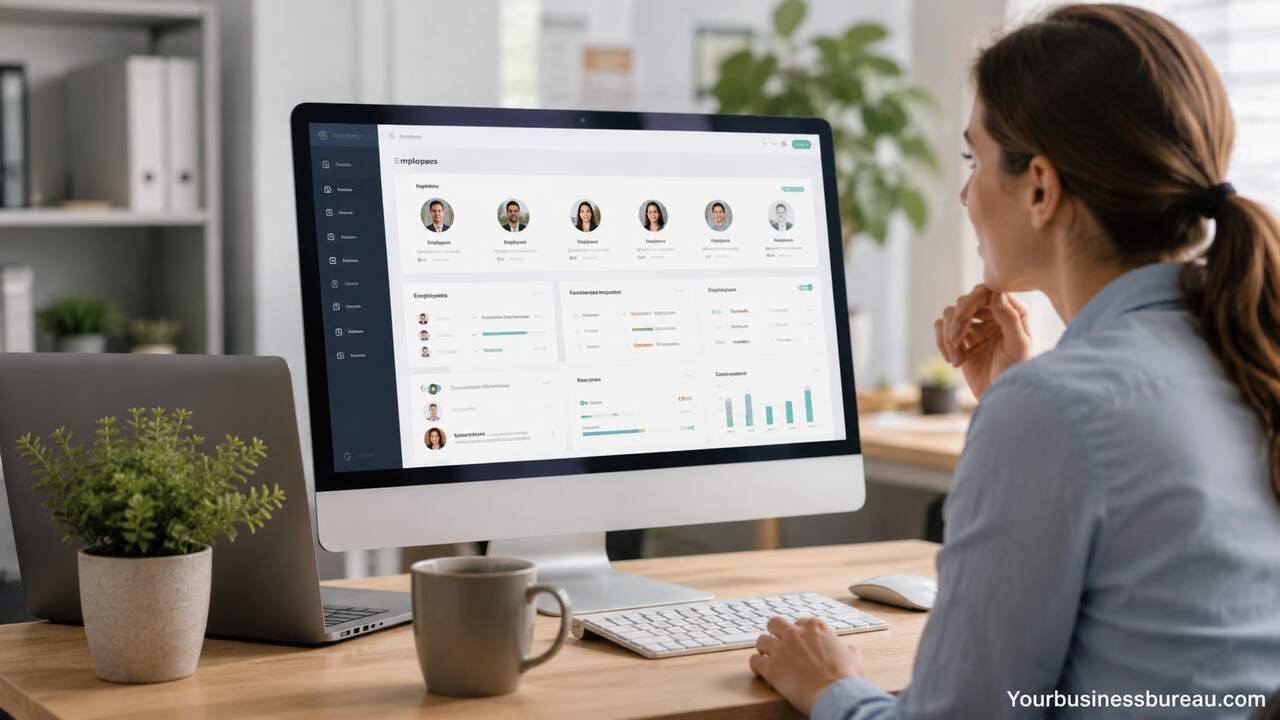
Small businesses need reliable people management without the cost and complexity of enterprise HR systems. HR software for small business helps owners, managers, and HR teams handle employee records, payroll coordination, onboarding, time tracking, benefits, compliance, and performance processes in one organized place. The right system reduces manual work, improves accuracy, and gives growing companies a stronger foundation for managing employees professionally.
Define Your HR Needs Before Choosing Software
Start by listing the HR tasks your small business handles every week and every month. A business with five employees may need basic employee records, document storage, and time-off tracking, while a business with fifty employees may need payroll integration, onboarding workflows, compliance reminders, benefits administration, and performance review tools. Clear needs help you avoid paying for features that your team will not use.
Your list should include daily tasks such as attendance tracking, employee data updates, shift scheduling, and manager approvals. It should also include less frequent but important tasks such as hiring, onboarding, tax document collection, policy acknowledgments, disciplinary records, and annual reviews. Each task should connect to a business outcome, such as saving administrative time, reducing errors, improving employee communication, or staying compliant with labor rules.
Small businesses often choose software too quickly because the interface looks simple or the price appears low. A better approach is to match the system to your company size, industry, employee type, and growth plans. A retail business with hourly workers needs stronger scheduling and time clock tools, while a professional services firm may prioritize document management, paid time off, and performance tracking.
Compare Core HR Software Features
Choose HR software that covers your essential people operations first. Core HR features usually include employee profiles, contact details, job titles, compensation records, emergency contacts, documents, company policies, and reporting. These features create a central employee database that replaces scattered spreadsheets, email attachments, and paper files.
Payroll support, time tracking, leave management, onboarding, benefits administration, and performance management are also important for many small businesses. Payroll may be built into the software or connected through an integration. Time tracking helps hourly teams record work hours accurately. Leave management allows employees to request vacation, sick leave, or personal days while managers approve requests in a structured workflow.
The best feature set depends on how your business operates. A startup may need fast onboarding and digital document signing. A restaurant may need shift scheduling, time clocks, and overtime alerts. A consulting company may need employee records, PTO tracking, and performance conversations. The goal is to select software that supports your actual work instead of adding another tool that creates more administration.
| Feature | Best For | Business Value |
| Employee database | All small businesses | Stores employee information in one place |
| Payroll integration | Businesses with paid staff | Reduces payroll errors and duplicate entry |
| Time tracking | Hourly teams | Improves wage accuracy and attendance records |
| PTO management | Growing teams | Simplifies leave requests and approvals |
| Onboarding workflows | Frequent hiring | Helps new employees start faster |
| Benefits administration | Companies offering benefits | Organizes enrollment and eligibility |
| Performance reviews | Teams with managers | Supports feedback and accountability |
| HR reporting | Owners and HR leads | Improves decision-making |
Review Payroll and Tax Support Carefully

Evaluate payroll features before committing to an HR platform. Payroll is one of the most sensitive HR functions because mistakes can affect wages, tax filings, employee trust, and legal compliance. Some HR software includes full-service payroll, while other systems only export employee hours or connect with a separate payroll provider.
A strong payroll setup should support wage types, pay schedules, overtime rules, deductions, tax forms, direct deposit, contractor payments, and payroll reports. If your business employs workers in multiple states or countries, the software should also support location-specific tax and labor requirements. Payroll data should flow from time tracking and employee records into payroll without repeated manual entry.
Small businesses should also consider who will manage payroll internally. An owner-led company may need a simple guided payroll process. A company with an office manager may need approval workflows and clear reports. A business with an accountant or outsourced payroll provider may need integrations, export files, and permission controls.
Set Up Employee Records in One Secure Place
Build a complete employee record system as soon as you adopt HR software. Each employee profile should include legal name, preferred name, job title, department, manager, start date, employment status, pay rate, work location, contact information, emergency contact, signed documents, and relevant certifications.
Document storage should include offer letters, contracts, tax forms, handbook acknowledgments, performance notes, policy confirmations, and training records. Secure storage matters because HR files often contain private personal and financial information. The software should support role-based permissions so owners, managers, payroll staff, and employees see only the information they need.
Organized employee records save time during audits, internal reviews, payroll updates, and employee changes. They also create continuity when a manager leaves or a business grows. Instead of relying on one person’s memory or a folder full of files, the company has a consistent record for every employee.
Automate Hiring and Onboarding Tasks
Use HR software to turn hiring and onboarding into a repeatable process. A small business may not hire every week, but each new employee still needs a smooth start. Onboarding software helps collect documents, assign tasks, share policies, gather signatures, and introduce the employee to company procedures.
An effective onboarding workflow may include offer letter delivery, personal information collection, tax form completion, direct deposit setup, handbook acknowledgment, equipment assignment, training tasks, and first-week checklists. Managers can receive reminders to prepare workstations, schedule introductions, and confirm role expectations.
Good onboarding improves employee confidence and reduces early confusion. It also protects the business by creating proof that required documents and policy acknowledgments were completed. For small teams, this structure is especially useful because one missed task can delay payroll, access setup, or compliance paperwork.
Track Time, Attendance, and Paid Leave
Use time and attendance tools to manage work hours accurately. Small businesses with hourly employees need reliable time clocks, timesheets, break tracking, overtime calculations, and approval workflows. These tools reduce disputes and help payroll run more smoothly.
Paid leave tracking should allow employees to view balances, submit requests, attach notes if needed, and receive approval or denial from managers. The system should update balances automatically based on company policy. Common leave types include vacation, sick leave, personal time, parental leave, unpaid leave, and public holidays.
Accurate attendance records help managers plan staffing and identify patterns. A business may notice repeated late arrivals, understaffed shifts, or unused vacation balances. These insights help owners make better decisions while giving employees a transparent process for time and leave.
Connect HR Software With Existing Business Tools
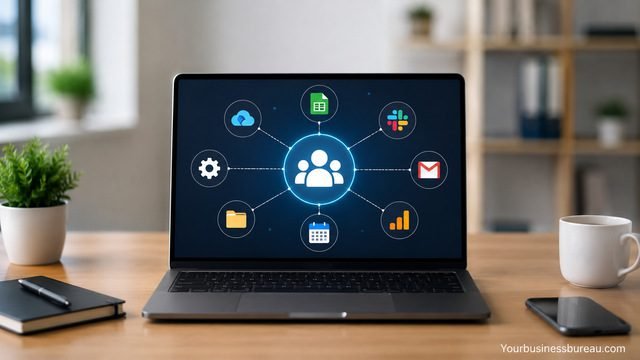
Choose HR software that works with the tools your business already uses. Common integrations include payroll systems, accounting software, calendar apps, communication tools, job boards, identity management systems, and benefits providers. Integrations reduce duplicate data entry and lower the chance of errors.
For example, approved hours can move from time tracking to payroll. New hire details can move from recruiting into employee records. Approved leave can appear on a shared calendar. Payroll expenses can sync with accounting software. Each connection saves time and keeps information consistent across departments.
Before buying software, confirm which integrations are included, which require higher pricing plans, and which need custom setup. A low monthly price can become less attractive if the business must pay extra for essential connections. The best HR software fits into your workflow instead of forcing your team to rebuild every process.
Check Security, Permissions, and Compliance Tools
Select HR software with strong security controls. Employee records contain sensitive information, including addresses, identification details, bank information, compensation, health-related benefits data, and performance records. The platform should protect this data through encryption, access controls, audit logs, secure login options, and reliable backup practices.
Permission settings should allow different access levels. Employees may update personal details and view pay-related documents. Managers may approve time off and view team records. Payroll staff may access compensation and tax information. Owners may view company-wide reports. Clear permissions reduce privacy risks and support accountability.
Compliance tools can help small businesses stay organized, but they do not replace professional legal or tax advice. Useful features include document reminders, required form tracking, policy acknowledgments, overtime alerts, leave records, and reporting. These tools help the business maintain evidence that important HR processes were completed properly.
Compare Pricing and Total Cost
Review the full cost before selecting HR software for small business use. Pricing often depends on the number of employees, monthly platform fees, payroll add-ons, implementation fees, support levels, and advanced features. Some vendors charge per employee per month, while others charge a base fee plus employee fees.
Small businesses should calculate current cost and future cost. A tool that is affordable for ten employees may become expensive at forty employees. Also review contract terms, cancellation rules, data export options, and support availability. A low-cost system is not a good value if it lacks essential features or creates extra manual work.
| Pricing Factor | What to Check | Impact on Small Business |
| Base monthly fee | Fixed platform cost | Affects affordability for very small teams |
| Per-employee fee | Cost per active employee | Increases as the company grows |
| Payroll add-on | Included or separate | Can significantly change total cost |
| Implementation fee | Setup or migration cost | Matters when moving from spreadsheets |
| Support level | Email, chat, phone, dedicated support | Affects issue resolution speed |
| Contract length | Monthly or annual agreement | Influences flexibility |
| Integration fees | Included or paid add-ons | Impacts workflow efficiency |
Test Usability Before Making a Final Decision
Test the software with real HR tasks before you commit. A demo can look impressive, but daily use reveals whether the platform is practical. Try adding an employee, uploading a document, approving time off, running a report, changing a job title, setting permissions, and exporting data.
Employees should be able to use the system without confusion. Managers should approve requests quickly. Owners should find reports easily. The software should feel clear, consistent, and reliable. A complicated system can reduce adoption, especially in a small business where employees already handle many responsibilities.
Ask the vendor about training resources, customer support, migration help, and setup guidance. Good support matters during the first few weeks because your team will be building employee records, configuring policies, and learning new workflows. A system that is easy to adopt will create value faster.
Implement HR Software in Clear Phases
Roll out HR software in phases instead of changing every process at once. Start with employee records, permissions, and document storage. Then add time off, onboarding, payroll connections, performance reviews, or benefits tools based on urgency.
A phased rollout helps the team learn without feeling overwhelmed. It also gives the business time to clean up old data, remove duplicate records, standardize job titles, and confirm policies. Each phase should have a clear owner, a deadline, and a simple success measure.
Small businesses benefit from practical implementation because resources are limited. The goal is not to create a perfect HR department overnight. The goal is to replace manual work with dependable systems that make employee management easier, more accurate, and more consistent.
Measure Results After Launch
Track whether the HR software improves your business operations. Useful measures include payroll processing time, onboarding completion rate, number of manual spreadsheets removed, time-off request response time, document completion rate, and manager satisfaction.
Employee feedback also matters. Employees should feel that the system makes it easier to request leave, update personal information, access policies, and complete onboarding tasks. Managers should feel that approvals, records, and reports are easier to handle.
Review results after the first month, then again after a full quarter. Adjust workflows, permissions, templates, and reminders based on actual use. HR software becomes more valuable when the business refines it over time instead of treating setup as a one-time task.
Conclusion
HR software for small business helps owners and managers organize employee information, reduce manual work, improve payroll accuracy, simplify onboarding, track time off, and support better compliance habits. The right system should match your company size, employee type, budget, and growth plans. When chosen carefully and implemented in phases, HR software becomes more than an administrative tool. It becomes a reliable foundation for managing people, improving employee experience, and scaling the business with confidence.
FAQ’s
The best HR software depends on your needs, budget, employee count, and payroll requirements. A small company should choose a system that handles employee records, onboarding, time off, payroll support, and reporting without unnecessary complexity.
A small business needs HR software when spreadsheets, paper files, or manual approvals become slow, risky, or difficult to manage. Even a small team can benefit from organized records, secure documents, and structured employee processes.
HR software often uses a monthly fee, a per-employee fee, or both. Costs vary based on payroll, benefits, integrations, support, and advanced features.
Some HR software includes full payroll, while other platforms connect with payroll providers. Businesses should confirm tax support, direct deposit, deductions, overtime rules, and reporting before choosing a system.
Good HR software uses security controls such as permissions, encryption, secure login, and audit logs. Small businesses should review the vendor’s security practices before storing sensitive employee information.
Implementation depends on company size, data quality, features, and integrations. A small business can often start with employee records and document storage first, then add payroll, onboarding, time tracking, and performance tools in phases.
