

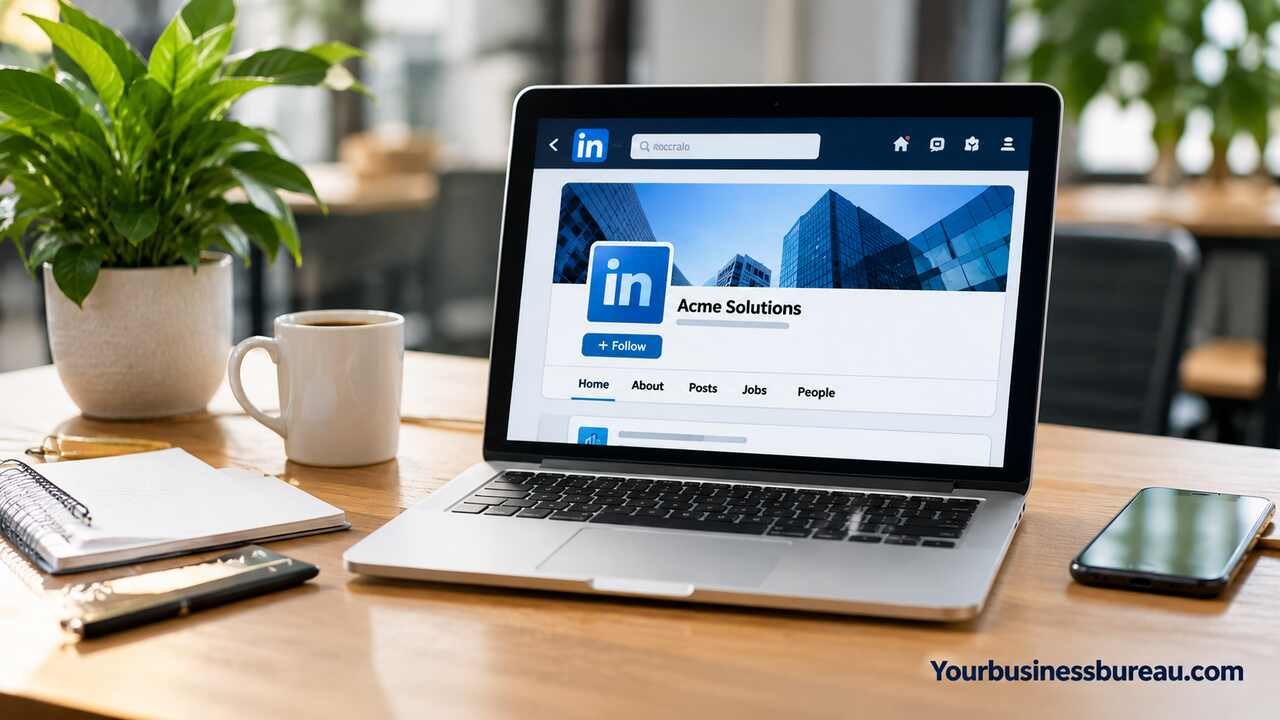
A LinkedIn business page is a professional company profile that helps businesses build credibility, connect with potential customers, attract talent, and strengthen their online presence. For U.S. businesses, it provides a platform to showcase products and services, share company updates, and engage with industry professionals.
What Is a LinkedIn Business Page and Why Does Your Company Need One?
A LinkedIn business page, officially called a LinkedIn Page, is a public profile designed to represent a company, organization, or brand. It provides a central location where visitors can learn about your business, explore its services, view company updates, and connect with your professional presence.
For U.S. businesses, LinkedIn can be particularly valuable when targeting business owners, corporate decision-makers, recruiters, consultants, and industry professionals. A well-maintained company page helps potential customers understand what you offer before contacting your sales team or visiting your website.
However, simply creating a LinkedIn Page does not guarantee visibility or customer inquiries. Your results depend on how clearly you communicate your services, whether your content meets audience needs, and how consistently your business participates in relevant professional conversations.
What Is the Difference Between a LinkedIn Personal Profile and a Business Page?
A personal LinkedIn profile represents an individual, while a business page represents an organization. Personal profiles support professional networking through connections, whereas company pages allow people to follow business updates. Your company page can have multiple administrators, publish branded content, and provide business-focused analytics. You generally need an eligible personal LinkedIn account to create and manage a company page.
What Are the Main Benefits of Having a LinkedIn Company Page?
A LinkedIn company page supports brand recognition, professional credibility, recruitment, and relationship building. It also provides a place to share business announcements, educational articles, employee achievements, and industry insights. For example, a U.S. accounting firm might use its page to explain tax deadlines, introduce financial planning services, and help small business owners understand common accounting challenges.
How Do You Create a LinkedIn Business Page Step by Step?
Creating a LinkedIn business page is free, although certain advertising and premium features require payment. You can establish your company’s presence using an eligible personal LinkedIn account and accurate business information.
Start by visiting LinkedIn on a desktop browser and signing in. Open the For Business menu and select the option to create a Company Page. LinkedIn may change the exact wording or location of this option as its interface evolves.
You’ll then enter information such as your company name, website, industry, organization size, and organization type. Choose an appropriate public URL, upload your company logo, add a tagline, and confirm that you’re authorized to represent the organization. LinkedIn may apply account eligibility or verification requirements before allowing you to complete the process.
What Information Do You Need Before Creating a LinkedIn Page?
Prepare your official business name, website URL, industry classification, employee size range, logo, and short company description. You should also have a clear understanding of your target audience and primary services. For a U.S. business serving specific states or cities, accurate location information can help visitors understand where your organization operates. Use information consistent with your website and other official business profiles.
How Can You Set Up Your LinkedIn Business Page Correctly?
- Sign in to your personal LinkedIn account
- Open For Business and choose Create a Company Page
- Select the appropriate organization page type
- Enter company details and choose a public URL
- Upload your logo and write a clear tagline
- Confirm your authorization and create the page
- Complete the About section and business contact details
After creating the page, review it as a visitor would. Check whether your branding appears professional, your description explains your business, and your website link works. Avoid publishing promotional posts before completing the essential profile information. A complete, accurate page gives visitors more context when they first discover your company.
How Can You Optimize Your LinkedIn Business Page for Better Visibility?
Optimizing a LinkedIn business page means making your company information clear, relevant, accurate, and easy to discover. Your page should explain what your business does, whom it serves, and why someone should consider its products or services.
Start with your company description. Use straightforward language that reflects your industry, services, and target customers. Include relevant search phrases naturally, but avoid repeating the same keyword throughout the description. Your company name should remain your actual business name rather than a collection of search terms.
Visual presentation also matters. A recognizable logo, professional cover image, consistent brand colors, and accurate contact information help visitors identify your business. You should review your page periodically to ensure employee counts, locations, website links, and service descriptions remain current.
How Should You Write an SEO-Friendly LinkedIn Company Description?
An effective LinkedIn company description begins with your core service and target audience. For example, a consulting firm might write: “We help U.S. small businesses improve financial planning, operational efficiency, and long-term growth through practical consulting services.” Continue by explaining your specialties, business approach, and relevant locations. This creates useful context for LinkedIn visitors and search systems without relying on keyword stuffing.
Can a LinkedIn Business Page Appear in Google Search Results?
Yes. Public LinkedIn company pages may appear in Google and other search engine results, particularly for branded searches. However, indexing and rankings are not guaranteed. Maintaining consistent business information, a descriptive page, and relevant content can support discoverability. Your LinkedIn Page should complement your company website rather than replace it, since your website provides greater control over content, conversion tracking, and customer journeys.
What Features Does a LinkedIn Business Page Offer?
A LinkedIn business page provides tools for publishing company content, interacting with followers, managing administrators, reviewing performance, and supporting recruitment. Available features can vary according to page eligibility, location, account type, and LinkedIn’s product updates.
The standard company page is sufficient for many small businesses. You can share posts, publish visual content, highlight company developments, and direct visitors toward your website or other relevant business destinations. Organizations with larger teams may also use employee advocacy and paid advertising to extend their reach.
Understanding the difference between free and paid capabilities helps you avoid unnecessary expenses. A small company may benefit more from improving its page description and posting useful content than immediately investing in premium tools or advertising.
What Is the Difference Between Free and Paid LinkedIn Business Features?
| Feature | Free LinkedIn Page | Paid LinkedIn Tools |
| Company profile | Create and maintain | Additional features may be available with eligible plans |
| Organic posts | Supported | Supported |
| Follower engagement | Supported | Additional promotional options |
| Page analytics | Standard analytics | Expanded capabilities depend on the product |
| Advertising | No paid distribution included | Campaign Manager advertising |
| Recruitment | Company visibility and sharing | Paid job promotion and recruiting products |
| Cost | No charge for standard page creation | Varies by subscription, campaign, or product |
LinkedIn Premium Company Page, LinkedIn Ads, and recruiting products are separate offerings with different capabilities. Review the current terms and features before purchasing.
How Can You Manage LinkedIn Page Administrators and Employees?
LinkedIn allows organizations to assign page management responsibilities to authorized individuals. A super admin generally has broad control over page settings and administrative access, while other available roles may have more limited permissions. Assign access according to each person’s responsibilities, and remove permissions when employees or contractors leave. Employees can also associate their personal profiles with the company, helping visitors discover the people behind your organization.
How Can You Grow Your LinkedIn Business Page Organically?
Growing a LinkedIn business page organically requires relevant content, meaningful engagement, and a clear understanding of your audience. Rather than concentrating only on follower numbers, focus on attracting people who may genuinely benefit from your company’s expertise.
Begin by identifying the questions your target customers frequently ask. A software company might explain workflow automation, data security, or product implementation. A construction company could discuss project planning, workplace safety, and commercial building trends. Educational content provides value even when readers are not ready to purchase.
Consistency helps maintain an active presence, but there is no universal posting frequency that guarantees growth. Start with a manageable schedule, review performance, and adjust based on audience response. Encourage employees to share useful company content voluntarily, and respond thoughtfully to comments rather than relying on generic engagement tactics.
What Type of Content Works Well on a LinkedIn Business Page?
Useful content includes industry explanations, practical guides, original research, product demonstrations, employee insights, customer success stories shared with permission, and company announcements. Short videos, document posts, images, and text updates can all serve different purposes. The strongest format depends on what you want to communicate. For example, a financial consulting firm could publish a document explaining cash flow planning for small businesses.
How Often Should a Business Post on LinkedIn?
A practical starting point for many small businesses is two to three thoughtful posts per week, although this is an editorial recommendation rather than a LinkedIn ranking requirement. Maintain a schedule your team can sustain without sacrificing quality. Monitor impressions, engagement, follower growth, and website visits to understand what resonates. Posting more frequently is not automatically better if the additional content provides little value.
Example weekly content schedule
| Day | Content type | Business objective |
| Monday | Industry insight or trend | Build awareness |
| Wednesday | Educational tip or guide | Demonstrate expertise |
| Friday | Company update or case example | Strengthen credibility |
This schedule is flexible. If your audience responds more strongly to detailed educational content, prioritize that format instead of following a rigid calendar.
How Can You Use a LinkedIn Business Page for Marketing and Lead Generation?
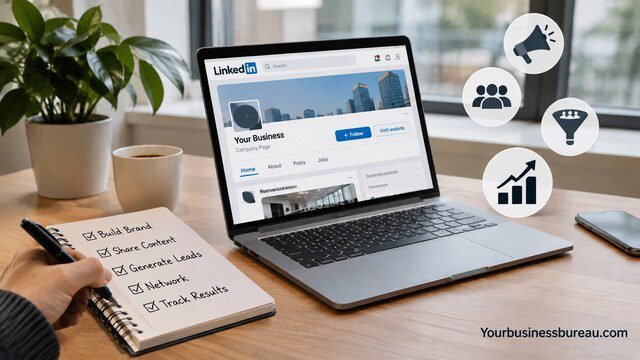
A LinkedIn business page can support lead generation by helping potential customers discover your company, understand its expertise, and take the next step toward contacting you. However, generating leads usually requires more than publishing promotional messages.
Your content should connect business problems with useful solutions. For example, an IT services company targeting U.S. small businesses might publish guidance on cybersecurity risks, cloud migration, and employee access management. Each topic can demonstrate expertise while helping readers evaluate whether professional assistance is appropriate.
When someone shows interest, make the next step straightforward. Depending on your page’s available features, you may direct visitors to your website, a consultation booking page, a relevant landing page, or a contact form. Clear messaging and a relevant destination are more valuable than sending every visitor to a generic homepage.
How Can Small Businesses Generate Leads Without LinkedIn Ads?
Small businesses can generate organic leads by publishing useful content, participating in relevant discussions, encouraging employee advocacy, and directing interested readers toward specific services. A business owner can also use their personal professional network to build relationships while the company page provides supporting credibility. Avoid unsolicited mass messaging, misleading claims, or aggressive sales pitches, as these can damage trust.
Are LinkedIn Ads Worth Using for Your Business?
LinkedIn Ads may be worthwhile when your business has a clearly defined professional audience, measurable conversion goals, and sufficient budget to test campaigns. Its professional targeting options can be useful for business-to-business marketing, although advertising costs and results vary. Before investing, establish a realistic customer acquisition target, prepare a relevant landing page, and configure conversion measurement where appropriate. Test small campaigns before increasing spending.
How Do You Measure and Improve LinkedIn Business Page Performance?
Measuring your LinkedIn business page performance helps you determine whether your content and engagement activities support actual business goals. LinkedIn provides page analytics covering areas such as visitor activity, content performance, and follower information, subject to feature availability.
Begin by selecting metrics that match your objectives. If your goal is brand awareness, impressions and follower growth may be useful. If you want customer inquiries, website clicks, qualified leads, and completed contact forms are more meaningful. A post with thousands of impressions may provide limited commercial value if it reaches the wrong audience.
Review your results monthly and look for patterns rather than reacting to individual posts. Compare topics, formats, calls to action, and publishing times. Keep the approaches that consistently attract relevant engagement and improve weaker content based on what your audience actually needs.
Which LinkedIn Analytics Metrics Should You Track?
Important metrics include impressions, reactions, comments, reposts, page visitors, new followers, and available click or engagement measurements. For lead generation, track website sessions and conversions using your website analytics and appropriately configured campaign links. An engagement rate can be calculated by dividing defined engagement actions by impressions, then multiplying by 100. Because platforms may define engagement differently, use consistent measurements when comparing results.
What Common Mistakes Should You Avoid When Managing a LinkedIn Page?
Common mistakes include incomplete company information, inconsistent branding, excessive self-promotion, irrelevant hashtags, inactive administration, and ignoring audience comments. Another problem is judging success entirely by follower count. A smaller audience of relevant business decision-makers may be more valuable than a large audience with little interest in your services. Review your page regularly, maintain accurate information, and prioritize useful professional communication.
Conclusion
A LinkedIn business page gives your company a professional space to build credibility, connect with industry audiences, share valuable information, and support marketing or recruitment goals. Creating the page is straightforward, but maintaining an effective presence requires accurate business details, relevant content, consistent engagement, and regular performance reviews. For U.S. businesses, the greatest opportunity comes from reaching the right professional audience rather than simply collecting followers. Start by completing your company profile, publishing three useful posts that answer customer questions, and reviewing the results after your first month. Use those insights to develop a sustainable LinkedIn strategy that supports your broader business objectives.
FAQ’s
Yes. Creating a standard LinkedIn company page is free for eligible LinkedIn members. You can add company information, publish organic content, attract followers, and access standard page management features without purchasing a subscription. Optional products, including advertising, premium company features, and certain recruiting services, may involve additional costs.
No. You generally need an eligible personal LinkedIn account to create and administer a company page. The personal account provides administrative access, while the business page publicly represents your organization. You should use an authentic personal account rather than creating a fake individual profile for your business.
There is no fixed follower requirement for success. A page with 300 relevant followers could generate more useful business opportunities than one with 5,000 poorly matched followers. Evaluate audience quality, engagement, website traffic, and customer inquiries instead of treating follower count as the only performance indicator.
Yes. An individual may administer multiple LinkedIn Pages when authorized to represent those organizations and when the pages meet LinkedIn’s requirements. Businesses with separate brands or distinct organizational structures may have reasons to maintain multiple pages. However, creating unnecessary duplicate pages can confuse customers and divide your audience.
Growth varies according to your industry, existing network, content quality, posting consistency, and promotional activity. Some companies gain early followers through employee participation, while others build their audience gradually. Instead of expecting a specific follower milestone within 30 days, establish a three-month content plan and evaluate measurable progress.
A LinkedIn business page can support your online presence, but it generally should not replace your website. LinkedIn controls its platform features and visibility, while your own website gives you greater control over branding, content, customer experiences, and conversion tracking. Using both together creates a more flexible digital marketing foundation.
