

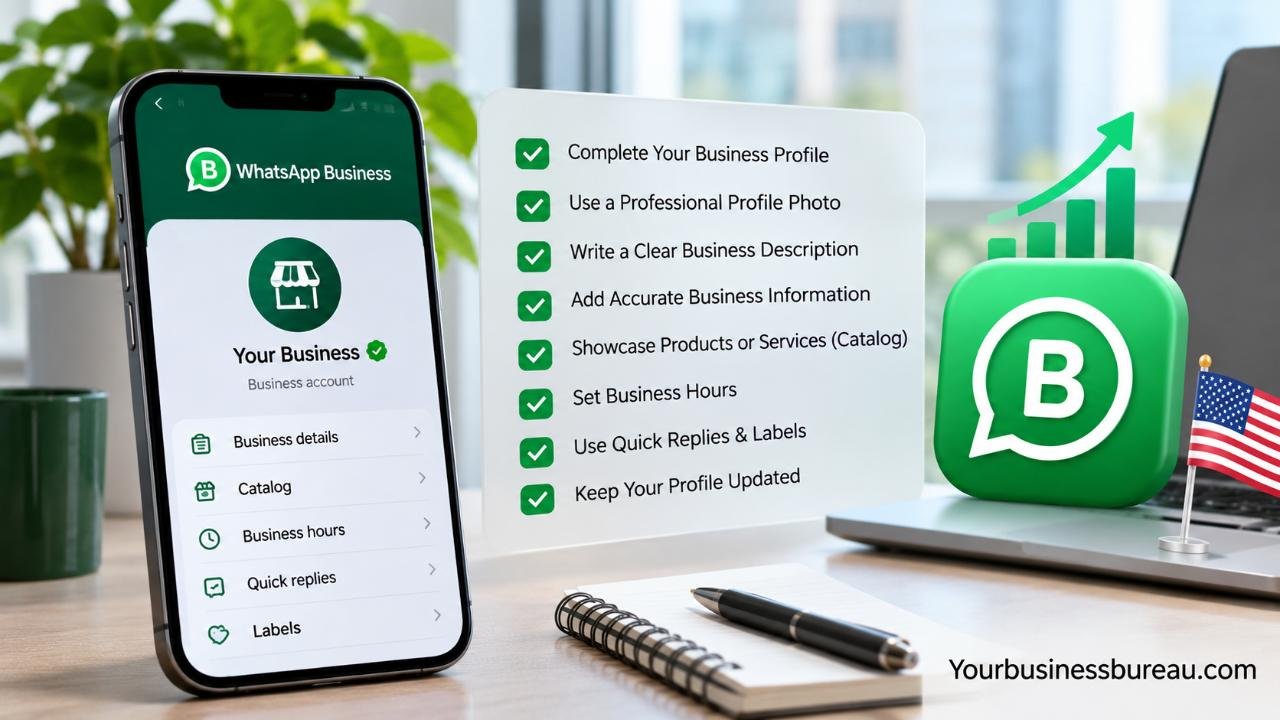
Optimizing your WhatsApp Business profile in 2025 helps U.S. businesses build trust, improve customer communication, and increase sales opportunities. Following WhatsApp Business profile optimization best practices 2025 involves updating business details, using professional branding, organizing product catalogs, and setting up automated responses.
Understanding WhatsApp Business Profile Optimization in 2025
WhatsApp Business profile optimization is the process of improving your business information, branding, messaging tools, and customer experience to make your account more useful and credible. Rather than treating your profile as a basic contact page, consider it a digital storefront where potential customers evaluate your business before starting a conversation.
For American businesses, WhatsApp can complement websites, email marketing, social media, and traditional customer support. It is particularly useful when serving international customers, multilingual audiences, or people who already prefer WhatsApp for business communication.
A strong profile helps customers identify your company, understand what you offer, and find the right way to contact you. However, profile optimization alone does not guarantee better visibility, more customers, or higher sales. Results depend on customer demand, traffic sources, response quality, and the value of your services.
Why Does WhatsApp Business Profile Optimization Matter?
An incomplete business profile creates unnecessary questions. Customers may need to ask about your operating hours, location, services, or website before discussing their actual needs.
An optimized profile removes these obstacles by providing useful information immediately. For example, a Texas-based landscaping company can display its business hours, service description, website, and catalog of available services. Interested homeowners can understand its offerings before requesting a quote.
This creates a smoother first interaction and allows employees to spend more time addressing specific customer requirements.
WhatsApp Business App vs. WhatsApp Business Platform
The WhatsApp Business App is designed primarily for small businesses that want to manage customer conversations using features such as business profiles, catalogs, labels, greeting messages, and quick replies.
The WhatsApp Business Platform supports more advanced integrations, including approved messaging workflows, customer relationship management systems, and larger-scale customer support operations. It generally involves additional technical setup and usage-based costs.
| Feature | WhatsApp Business App | WhatsApp Business Platform |
| Best suited for | Small businesses | Growing and larger businesses |
| Business profile | Supported | Supported |
| Product catalog | Built-in management | Depends on integration |
| Automated messaging | Basic tools | Advanced workflows |
| CRM integration | Limited native capabilities | Supported through integrations |
| Cost structure | Free core app | Usage and provider costs may apply |
Choose the solution based on your message volume, customer service requirements, and available resources rather than company size alone.
Complete Your WhatsApp Business Profile With Accurate Information
A complete WhatsApp Business profile should clearly explain who you are, what your business offers, and how customers can reach you. The most important details include your business name, category, description, operating hours, email address, website, and relevant location information.
Start by opening the WhatsApp Business App and locating the Business Profile section through its settings or tools. Available menu names can vary by operating system and app version. Review every applicable field and confirm that the information matches your official business details.
Consistency matters because customers may compare your WhatsApp information with your website, Google Business Profile, or social media pages. Conflicting addresses, outdated hours, and different business names can create doubts about legitimacy.
Choose the Right Business Name and Category
Your business name should match the recognizable name used on your website, invoices, storefront, and other customer-facing materials.
Avoid adding excessive promotional phrases, unnecessary symbols, or unrelated keywords. A clear name such as “Austin Home Cleaning” is more useful than a description packed with claims about being the cheapest or best cleaning service.
Select the category that most accurately represents your primary business activity. A marketing agency should choose an appropriate professional services category rather than an unrelated category simply because it appears popular.
Business names and certain profile changes may be subject to WhatsApp’s review requirements.
Write an Effective WhatsApp Business Description
Your business description should communicate three things: what you offer, whom you serve, and what makes your service relevant.
For example:
Business Description Example:
“BrightPath Digital helps U.S. small businesses improve their online presence through SEO, website design, and digital marketing. Contact us for personalized marketing solutions.”
This description is specific, understandable, and customer-focused.
Use natural language instead of inserting repeated keywords. Include your geographic service area when location matters, and avoid promises that cannot be supported.
A useful description should help someone understand your business within seconds.
Improve Profile Branding, Images, and Customer Trust
Professional branding makes your WhatsApp Business profile easier to recognize and helps customers distinguish your account from unfamiliar or potentially misleading contacts. Your profile image, business identity, and linked contact information should communicate consistency.
Use a recognizable company logo rather than an unrelated stock photo, promotional graphic, or text-heavy image. For individual consultants, a professional portrait may be appropriate when customers associate the business with a particular person.
You should also ensure that your website uses HTTPS, your listed email address is monitored, and your contact information is current. These details provide customers with practical ways to confirm that they are communicating with the intended company.
Optimize Your WhatsApp Business Profile Picture
A good WhatsApp Business profile picture should remain recognizable at a small display size.
A square image with a centered logo, sufficient spacing, and a simple background generally works well. Avoid placing important design elements near the edges because profile images may appear cropped into circular shapes.
For example, a New York bakery could use its established logo with a contrasting background rather than an image containing its entire menu.
Keep the visual identity consistent across your website, social media accounts, and customer communications. Consistent branding supports recognition, although it does not automatically make an account verified.
Build Credibility Through Verification and Transparency
WhatsApp offers verification-related features for eligible businesses, including Meta Verified subscriptions in supported markets. Availability, eligibility requirements, and profile review procedures can vary.
Verification should not be confused with simply creating a WhatsApp Business account. Having a business profile does not automatically mean WhatsApp has independently verified the company.
If verification is available and useful for your organization, review its requirements and costs before applying. Some changes to verified business information may require additional approval.
Regardless of verification status, you can strengthen trust by displaying authentic company details, explaining your services clearly, protecting customer information, and avoiding misleading promotional claims.
Optimize Your WhatsApp Business Catalog for Products and Services
A WhatsApp Business catalog allows customers to explore products or services directly from a business profile without needing to request every detail through messages. For businesses with multiple offerings, a well-organized catalog can simplify product discovery and shorten the path from inquiry to purchase.
Catalog optimization involves choosing accurate titles, relevant images, useful descriptions, and updated information. Businesses should also remove discontinued offerings and correct outdated prices when pricing is available.
For instance, a U.S. skincare retailer might organize its catalog around individual products and curated sets. A consulting firm could list services such as business planning sessions, strategy consultations, and financial reviews.
The catalog acts as a product or service showcase, but it does not replace every function of a full e-commerce website.
Write Clear Product Titles and Descriptions
Use straightforward product or service names that customers can immediately understand.
Instead of naming an item “Premium Package,” a business consultant could use “60-Minute Business Strategy Consultation.”
A helpful catalog description should explain the offering, important features, relevant limitations, and next steps. Include pricing where the feature is available and where a fixed price makes sense.
For services that require individualized quotations, explain that pricing depends on project requirements.
Avoid misleading discounts, unsupported performance claims, or descriptions that omit significant conditions.
Use Quality Images and Maintain Catalog Accuracy
Product images should accurately represent what customers will receive. Use clear lighting, suitable backgrounds, and multiple views when they provide additional value.
A furniture retailer, for example, can show a dining table from different angles and include measurements in its description.
For services, branded graphics or relevant photographs can help explain an offering, provided they do not misrepresent the actual service.
Review your catalog regularly and remove unavailable products. Customers may lose confidence when they repeatedly inquire about items that cannot be purchased.
Catalog capabilities, including certain pricing features, can vary by country and account.
Use Automated Messaging and Quick Replies to Improve Customer Experience
WhatsApp Business messaging tools help businesses respond consistently without requiring employees to type the same information repeatedly. Greeting messages, away messages, and quick replies are especially useful for handling routine questions.
The goal of automation should be to improve communication, not to replace meaningful customer support. Customers still need accurate answers, reasonable response times, and access to a real person when their questions become complicated.
For businesses operating across multiple U.S. time zones, messaging tools can help explain when support is available. Clear availability expectations are often more valuable than promising immediate responses that your team cannot deliver.
Set Up Professional Greeting and Away Messages
A greeting message introduces your business when an eligible customer conversation begins. It should acknowledge the inquiry and explain what happens next.
Greeting Message Example:
“Hi! Thanks for contacting BrightPath Digital. We’re happy to help with your marketing questions. Please tell us which service you’re interested in, and our team will respond during business hours.”
Away messages are useful outside operating hours or during temporary closures.
Away Message Example:
“Thanks for reaching out! Our support team is available Monday through Friday, 9 AM to 5 PM Eastern Time. We’ll review your message during our next business hours.”
These messages establish expectations without making unrealistic guarantees.
Create Quick Replies for Frequently Asked Questions
Quick replies allow you to save reusable answers and access them through shortcuts.
You might create shortcuts such as:
- /hours for operating hours.
- /pricing for general pricing information.
- /location for your business address.
- /booking for appointment instructions.
- /support for customer service guidance.
A home repair business could use a quick reply to request a customer’s ZIP code, service type, and preferred appointment date.
Keep saved responses conversational and review them whenever policies change. Quick replies are manually selected responses, not a substitute for a fully automated chatbot.
Increase Customer Engagement With Smart WhatsApp Marketing Practices
Optimizing your profile is only one part of improving customer engagement. You also need to make it easy for interested customers to discover your WhatsApp contact option and begin useful conversations.
Businesses can share WhatsApp contact links through websites, social media, email signatures, digital advertisements, and appropriate offline materials.
A local restaurant, for example, might place a WhatsApp QR code on printed promotional materials so customers can ask questions about catering. An online retailer could include a contact link on its support page for customers who prefer messaging.
However, businesses should not assume that every customer wants to communicate through WhatsApp. Maintain alternative contact methods and let customers choose their preferred channel.
Use WhatsApp Links, QR Codes, and Click-to-Chat
WhatsApp links provide a convenient way for customers to start conversations without manually saving a business phone number.
Replace the example with your valid WhatsApp-enabled number in international format, without the plus sign, spaces, or punctuation.
You can place these links on relevant website pages, social profiles, and email communications.
QR codes offer another entry point, particularly for stores, events, and printed materials.
Where supported, prefilled messages can help customers identify the reason for their inquiry, such as requesting a quote or asking about availability.
Personalize Customer Communication Without Spamming
Relevant communication is more effective than sending frequent promotional messages without considering customer preferences.
For example, a clothing retailer could notify customers who have agreed to receive updates about a new collection that matches their stated interests.
A local appointment-based business could send useful reminders when customers have provided appropriate permission.
In the United States, businesses should consider applicable federal and state marketing, privacy, and consent requirements. WhatsApp’s business messaging policies also apply.
Do not treat a customer saving your phone number or making one inquiry as automatic permission for unlimited promotional messages.
Provide a clear way to stop marketing communications and respect opt-out requests promptly.
Monitor WhatsApp Business Performance and Maintain Your Profile
WhatsApp Business profile optimization is an ongoing process rather than a one-time setup. Business information changes, products become unavailable, customer questions evolve, and messaging needs can grow over time.
Reviewing your profile regularly helps you identify problems before they frustrate customers. A business that changes its working hours but forgets to update WhatsApp may receive avoidable inquiries and missed appointment requests.
Performance monitoring should focus on useful business outcomes, including qualified inquiries, response efficiency, appointments, and sales resulting from conversations.
Available statistics and reporting capabilities vary between the WhatsApp Business App, the WhatsApp Business Platform, and connected analytics tools.
Track Useful Customer Engagement Metrics
You do not need an advanced analytics system to begin evaluating WhatsApp performance.
Track a few practical indicators and connect them to your business objectives.
| Metric | What It Tells You | Improvement Opportunity |
| Customer inquiries | How many conversations begin | Improve relevant contact links |
| Response time | How quickly customers receive help | Improve staffing and quick replies |
| Qualified leads | How many inquiries fit your services | Clarify offers and descriptions |
| Appointment bookings | How many conversations produce bookings | Simplify scheduling instructions |
| Completed purchases | How many conversations lead to sales | Improve catalog and follow-up |
| Repeated questions | What information customers cannot find | Update profile details and FAQs |
Some of these measurements may require manual tracking or a CRM integration rather than native WhatsApp reports.
Focus on trends over time instead of assuming every message reflects a sales opportunity.
Perform Monthly Profile Audits and Continuous Improvements
A monthly review helps keep your profile accurate and customer-focused.
Use this practical checklist:
- Confirm your business name, description, and category.
- Verify your website, email, location, and operating hours.
- Check the quality and visibility of your profile picture.
- Update product and service catalog information.
- Test greeting messages, away messages, and quick replies.
- Check WhatsApp links and QR codes.
- Review customer feedback and frequent questions.
- Confirm that promotional messaging respects consent preferences.
- Review inquiries, bookings, and customer service outcomes.
If your business offers seasonal services or frequently changes inventory, review the relevant information more often.
Make one improvement at a time when possible. This approach can help you understand which changes are associated with better customer outcomes.
Example: A Practical WhatsApp Optimization Strategy for a U.S. Small Business
Consider a hypothetical Florida-based residential cleaning company receiving inquiries through its website and social media accounts.
The company could begin by updating its WhatsApp profile with its service area, operating hours, website, and a description of its cleaning services. Next, it could create catalog listings for standard home cleaning, deep cleaning, and move-out cleaning.
A greeting message could ask customers for their ZIP code, property size, and preferred service date. Quick replies could explain quotation requirements and appointment policies.
Finally, the company could add a WhatsApp contact link to its website and record how many qualified inquiries turn into scheduled appointments.
This approach demonstrates how accurate profile information, customer-friendly messaging, and practical performance tracking can work together without requiring complex technology.
FAQ’s
Start by completing your business name, category, description, website, contact details, and operating hours. Add a recognizable profile image and an accurate product or service catalog where relevant. Configure greeting messages, away messages, and quick replies. Finally, regularly check customer inquiries and update outdated information to keep your profile helpful and trustworthy.
The WhatsApp Business App is free to download and offers core features such as business profiles, catalogs, greeting messages, and quick replies. However, optional paid services, advertising, and certain business messaging capabilities may involve additional charges. The WhatsApp Business Platform has a different pricing structure, so businesses should review applicable costs before adopting it.
Profile optimization can support sales by making business information easier to find, simplifying product discovery, and improving communication. However, increased sales are not guaranteed. Results depend on factors such as customer interest, pricing, service quality, traffic sources, and follow-up processes. Track qualified inquiries and completed purchases to evaluate whether your improvements are working.
Include your main products or services, target customers, and relevant location or service area. Use straightforward language and explain the practical value your business provides. Avoid excessive keywords, unsupported claims, and confusing promotional language. Your description should help potential customers understand your business quickly and decide whether to contact you.
There is no established guarantee that optimizing your WhatsApp Business profile directly improves Google search rankings. However, adding convenient messaging options to your website can improve the customer experience and make inquiries easier. For search visibility, continue focusing on helpful website content, technical SEO, accurate business information, and relevant local search practices.
Review your profile at least once a month and update important information whenever it changes. Operating hours, addresses, services, and product availability should remain accurate. Businesses with frequently changing inventory or seasonal offers may need weekly updates. Regularly testing messaging tools and contact links also helps prevent avoidable customer service problems.
Conclusion
Following WhatsApp Business profile optimization best practices in 2025 means focusing on accuracy, recognizable branding, useful product information, responsive communication, and customer trust. A complete profile helps customers understand your business, while catalogs and messaging tools make everyday interactions more convenient. For U.S. businesses, responsible marketing practices and clear communication are equally important for building lasting customer relationships.
The most practical next step is to review your current profile from a customer’s perspective. Identify missing information, correct outdated details, and test your messaging tools. Continue measuring customer inquiries and business outcomes so future improvements address real customer needs.
