





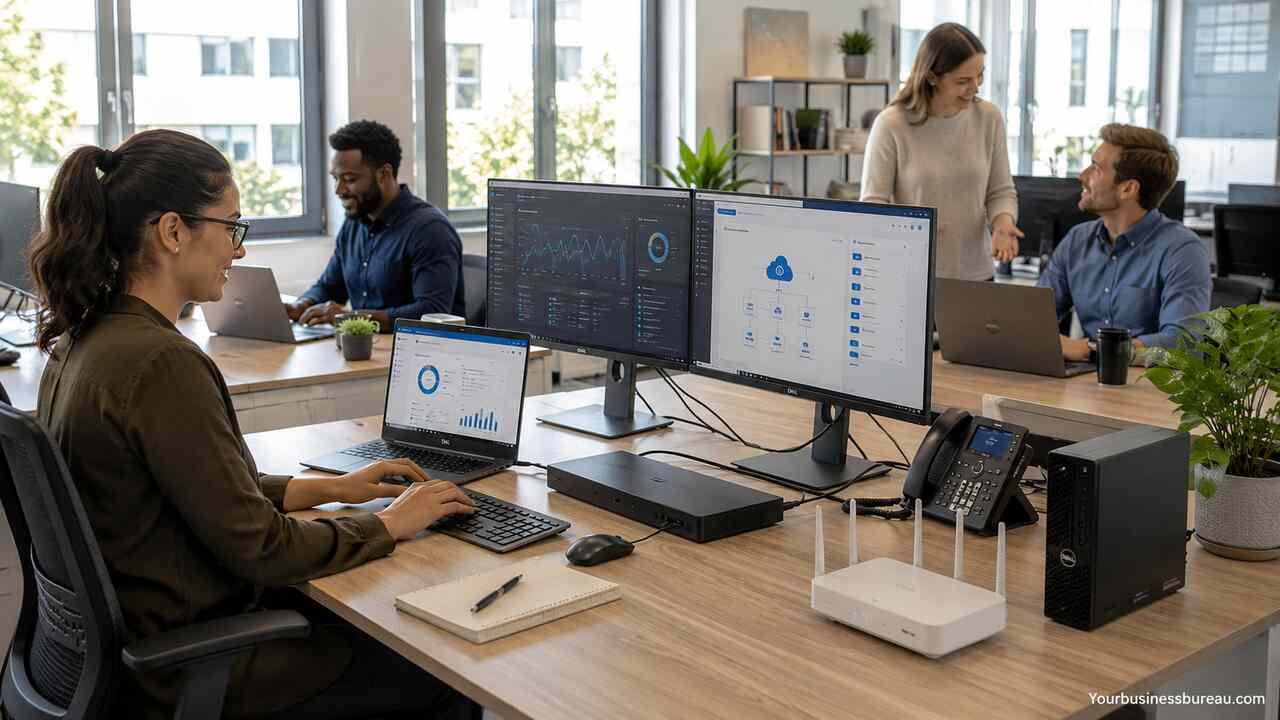
Dell Small Business is a practical technology pathway for owners, startups, remote teams, agencies, retailers, clinics, consultants, and service companies that need reliable computers, monitors, servers, accessories, financing, and support without building a large internal IT department. A small business depends on fast devices, secure systems, easy purchasing, predictable costs, and responsive service. Dell’s small business offerings bring these needs into one buying experience, with business laptops, desktops, workstations, monitors, peripherals, servers, payment options, rewards, and advisory support designed to help teams work more efficiently.
Define Your Business Technology Goals
Start by identifying the daily work your team must complete, the software your employees use, and the level of mobility each role requires. A Dell small business setup should match real business tasks, not just general computer specifications. A sales representative may need a lightweight laptop, a designer may need a workstation, a receptionist may need a compact desktop, and a business owner may need a secure laptop with strong battery life and docking support.
List the core work areas before selecting devices. Common areas include accounting, customer support, video meetings, point-of-sale operations, document management, cloud collaboration, data storage, cybersecurity, and remote access. Dell’s small business catalog includes laptops, desktops, monitors, tablets, networking products, servers, and accessories, so the right mix depends on how your company operates rather than how many employees you have.
A clear technology goal also helps prevent overbuying. A five-person marketing agency may need high-performance laptops and color-accurate monitors, while a local service business may need durable desktops, reliable printers, and secure backup. The strongest Dell small business plan connects each purchase to measurable value, such as faster invoicing, fewer support issues, better video calls, stronger data protection, or easier onboarding for new employees.
Match Dell Laptops to Employee Roles
Choose Dell business laptops by role, workload, travel needs, and security requirements. Dell small business buyers often compare portable productivity laptops, higher-performance mobile workstations, 2-in-1 devices, and budget-friendly notebooks. The best laptop is the one that keeps an employee productive without creating unnecessary hardware expense.
A mobile employee usually needs a lightweight laptop with long battery life, a quality webcam, strong Wi-Fi, and enough memory for browser-based work, Microsoft 365, CRM tools, email, and video meetings. A finance manager may need a larger screen, numeric keypad, secure sign-in, and reliable multitasking performance. A creative employee may need dedicated graphics, more memory, high-resolution display options, and faster storage.
Device selection should also account for lifecycle planning. A cheaper laptop may look attractive on day one, but weak performance can cost more through downtime, slow software, and earlier replacement. For most small teams, a practical laptop standard includes a modern processor, solid-state storage, business-grade warranty coverage, enough RAM for multitasking, and docking compatibility. Standardizing around a few Dell laptop models can simplify support, replacement parts, employee training, and future purchasing.
Select Dell Desktops for Stable Office Work

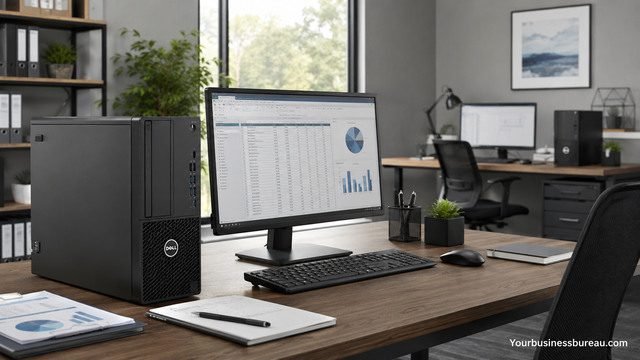
Use Dell desktops when employees work from a fixed location and need dependable performance at a lower cost per seat. Desktops are useful for reception desks, accounting stations, call centers, retail offices, medical offices, warehouse terminals, and administrative teams. They often provide strong performance, easier maintenance, and better ergonomics when paired with external monitors, full-size keyboards, and mice.
Small businesses can choose compact desktops for limited desk space, tower desktops for expandability, and all-in-one systems for clean workstations. A micro desktop can be mounted behind a monitor or placed under a counter, making it useful for offices that need a tidy setup.
Desktop buying should include the full workstation, not only the computer. A productive desk setup includes a monitor at eye level, an ergonomic keyboard, a reliable mouse, backup power where needed, and cable management. For businesses with multiple desks, a consistent Dell desktop configuration can reduce support complexity. When every front-office computer uses similar hardware, troubleshooting becomes faster and replacement planning becomes easier.
Upgrade Monitors and Accessories for Productivity
Invest in monitors, docking stations, adapters, keyboards, mice, webcams, headsets, and printers after selecting the primary computers. Accessories directly affect daily comfort and speed, especially in small businesses where employees often perform many tasks at once. Monitors and accessories are important parts of a complete technology environment because they turn a basic device into a productive workstation.
A second monitor can improve multitasking for accounting, customer service, scheduling, marketing, and sales. A docking station helps laptop users connect to monitors, power, Ethernet, and peripherals with one cable. A quality headset improves calls. A webcam improves client meetings. A business printer supports invoices, labels, forms, and signed documents. Dell’s product ecosystem allows small businesses to assemble these pieces from one supplier instead of mixing many unsupported items.
Accessories also help standardize hybrid work. A laptop user can have one setup at home and another at the office, both using compatible docks, monitors, and input devices. This reduces friction when employees switch locations. For companies with remote workers, shipping a complete Dell workstation kit can make onboarding smoother because each employee receives compatible devices, fewer cables, and clearer setup instructions.
| Business Need | Dell Small Business Hardware Choice | Practical Benefit |
| Mobile work | Business laptop, dock, headset | Supports travel, remote work, and meetings |
| Fixed office desk | Desktop, monitor, keyboard, mouse | Delivers stable performance and easier ergonomics |
| Creative production | Mobile workstation or performance desktop | Handles design, rendering, editing, and large files |
| Front desk or retail | Micro desktop or all-in-one | Saves space and supports daily transactions |
| Team collaboration | Conference monitor, webcam, speaker, headset | Improves meetings and client communication |
| Local data or apps | Entry server or network storage solution | Centralizes files, permissions, and workloads |
Add Servers and Storage When Your Data Grows
Consider Dell servers or storage when your business needs centralized files, local applications, stronger backup control, or workload performance beyond ordinary PCs. Many small businesses start with cloud tools, but some eventually need on-site or hybrid infrastructure for accounting databases, design files, security video, inventory systems, medical records, or internal applications.
A small business server can manage file sharing, user permissions, backup routines, application hosting, and internal resources. Storage planning should include capacity, redundancy, backup, restore testing, and access control. A business that stores large media files may prioritize capacity and speed, while a professional office may prioritize security, permissions, and backup reliability.
The decision to add a server should be based on business risk and operational need. Cloud software may be enough for a small consulting firm, while a dental office, manufacturer, or media studio may need local systems for performance, compliance, or continuity. A hybrid setup can also work well. The company keeps collaboration tools in the cloud while using local infrastructure for specialized workloads, backup, or high-volume files.
Strengthen Security Before Scaling Devices
Secure every Dell small business device before distributing it to employees. A business computer should include operating system updates, endpoint protection, strong passwords, multifactor authentication, device encryption, secure browser settings, backup configuration, and user account controls. Security should be part of the buying and deployment process, not an emergency response after a problem occurs.
Small businesses need protection because they handle invoices, customer records, passwords, payroll information, contracts, emails, and payment details. Each Dell laptop or desktop should be assigned to a specific user, configured with least-privilege access, and documented with serial number, warranty status, installed software, and recovery details. Remote employees need extra attention because home networks, public Wi-Fi, and personal device habits can increase exposure.
Security planning should also cover physical risk. Laptops get lost, desktops can be accessed after hours, and old drives may contain sensitive information. Asset tracking, encryption, secure disposal, and warranty documentation reduce these risks. As the company grows, consistent device policies become even more important because a ten-person team can quickly become a fifty-person operation with many unmanaged devices.
Use Dell Services for Setup and Support
Use Dell services when your business needs help with deployment, installation, migration, support, or troubleshooting. Small companies often lack a full-time IT team, so outside support can reduce downtime and help employees stay focused on revenue-generating work. Dell services can support businesses with device setup, repair options, data migration, deployment help, and ongoing technical assistance.
Service needs vary by company size and technical maturity. A solo consultant may only need warranty support and accidental damage protection. A growing agency may need device imaging, data migration, and setup assistance. A multi-location business may need coordinated rollout, standardized configurations, and support escalation.
Support value becomes clear when a device fails during payroll, invoicing, order processing, or client delivery. A fast repair or replacement process can protect revenue and customer trust. Before buying, compare warranty duration, onsite service options, accidental damage coverage, and support response levels. The cheapest device may not be the cheapest business decision if the support plan is too weak for your operational needs.
Choose Financing and Payment Options Carefully
Review Dell small business financing when cash flow matters more than paying the full cost upfront. Dell small business payment options may include payment agreements, leasing, and PC-as-a-Service, depending on availability, eligibility, and terms. Financing can be useful when a company needs several devices at once, plans a refresh cycle, or wants predictable monthly expenses.
Payment options should be evaluated with total cost, interest, lease terms, ownership, upgrade flexibility, tax treatment, and business cash flow in mind. A lease may suit a company that refreshes devices frequently, while direct purchase may suit a company that keeps computers longer. PC-as-a-Service can appeal to businesses that prefer bundled hardware and lifecycle management, but the terms should be reviewed carefully.
Financing should support growth rather than hide overspending. A small business should calculate the productivity gain from new devices, the cost of downtime from old devices, and the monthly obligation created by the payment plan. The right financing structure keeps working capital available for hiring, marketing, inventory, or operations while still giving employees reliable tools.
Compare Dell Rewards and Business Purchasing Benefits
Enroll in Dell business purchasing programs when recurring technology purchases are likely. Dell Rewards may provide rewards on eligible purchases, with terms, exclusions, expiration rules, and caps depending on the current program. For a small business that buys laptops, monitors, docks, and accessories throughout the year, rewards can help offset future purchases.
Dell Premier Small Business is designed as a business purchasing experience that can support ordering, pricing access, and advisor assistance. This can be useful for owners who do not want to rebuild a cart from scratch every time they hire someone. A purchasing portal can support standard configurations, repeat orders, approval workflows, and easier procurement.
Business purchasing benefits matter most when the company grows beyond occasional one-off purchases. A freelancer may not need a structured procurement process, but a company hiring several employees per quarter benefits from consistency. Saved configurations, advisor support, and rewards can reduce decision fatigue and help maintain a predictable hardware standard across the team.
Build a Scalable Hybrid Work Setup
Create a Dell small business setup that works in the office, at home, and on the road. Hybrid work depends on portable computers, secure access, reliable collaboration tools, docking stations, monitors, headsets, webcams, and cloud-based applications. A strong setup supports employees wherever they work without creating confusion, downtime, or security gaps.
A strong hybrid setup starts with the laptop as the primary device for mobile roles. The employee then connects to a dock, monitor, keyboard, mouse, headset, and webcam at each work location. This creates a desktop-like experience while preserving mobility. Companies should also standardize communication tools, file storage rules, password management, VPN or secure access, and backup processes.
Hybrid work also changes support expectations. Employees may need clear setup guides, labeled cables, remote troubleshooting, and replacement procedures. A small business can reduce support tickets by giving each worker a consistent Dell kit. When every remote employee uses similar docks, adapters, and monitors, the company can solve problems faster and provide clearer instructions.
Standardize Software and Device Management
Standardize software before your device count becomes difficult to manage. A small business should define required applications, approved browsers, cloud storage locations, communication tools, security software, backup settings, and update policies. Hardware matters, but software consistency determines whether employees can work together without confusion.
A useful Dell small business deployment plan includes a checklist for every device. The checklist should cover operating system updates, user profile creation, email setup, productivity apps, security tools, printer access, cloud drive connection, password manager setup, and backup confirmation. The company should also remove unnecessary trial software and document license assignments.
Standardization creates measurable benefits as the company grows. New employees start faster. Departing employees can be offboarded safely. Support becomes easier because every machine follows the same baseline. Audits become less stressful because the business knows which devices exist, who uses them, and what software runs on them.
Plan Refresh Cycles and Long-Term Costs
Set a device refresh cycle before performance problems force emergency purchases. Many small businesses replace computers only when they fail, but this reactive approach creates downtime, rushed decisions, and inconsistent systems. A planned Dell small business refresh cycle helps the company budget ahead, negotiate better, and reduce disruptions.
A practical refresh plan classifies devices by role and business impact. Executive laptops, sales laptops, design workstations, front-desk desktops, and server hardware may all have different replacement timelines. High-use mobile devices may need earlier replacement than stationary office desktops. Monitors and accessories often last longer than laptops, but they should still be reviewed for compatibility and employee comfort.
Long-term cost should include purchase price, warranty, support, accessories, software licenses, financing costs, downtime risk, repair history, and employee productivity. A computer that saves $200 upfront but slows an employee every day may be more expensive over its life. A better Dell small business strategy measures total value, not just checkout price.
| Cost Area | Include in Budget | Business Impact |
| Hardware | Laptops, desktops, servers, monitors | Determines performance and reliability |
| Accessories | Docks, headsets, adapters, keyboards | Improves comfort and daily productivity |
| Support | Warranty, onsite service, accidental damage | Reduces downtime and repair uncertainty |
| Software | Productivity, security, backup, design tools | Enables core business workflows |
| Financing | Lease, payment agreement, PC-as-a-Service | Affects cash flow and ownership |
| Lifecycle | Replacement, resale, recycling, disposal | Controls long-term technology cost |
Use Dell for Startups When Launching a New Company
Explore Dell for Startups when your business is early-stage and needs technology guidance, resources, events, and startup-focused support. Startup-focused technology programs can help founders compare devices, plan budgets, and understand which tools are needed during early growth.
Startup technology choices should prioritize flexibility. A founder may begin with one laptop, one monitor, and cloud software, then add devices as hiring begins. The first purchases should support sales, product development, accounting, communication, and customer service. Overbuilding infrastructure too early can waste capital, while underbuying can slow execution.
Dell for Startups can fit companies that want technical direction alongside hardware choices. A startup may need advice on which laptops to buy for developers, which monitors support design work, which financing option protects cash, or when to add server capacity. The right setup gives the founder enough structure to grow without locking the company into unnecessary complexity.
Align Dell Small Business Choices With Industry Needs
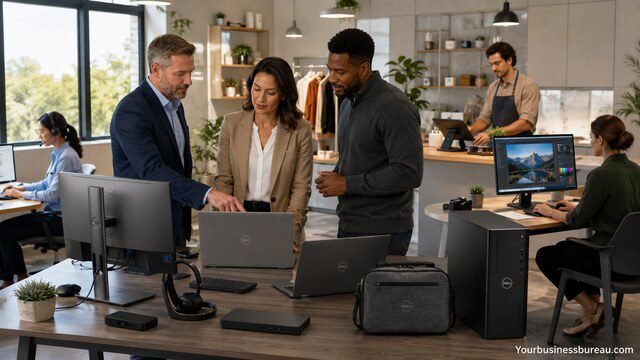
Select Dell small business products based on industry requirements, because each business type places different demands on technology. A legal office needs secure document access, reliable printing, and strong backup. A creative agency needs performance systems, color-friendly displays, and storage capacity. A retail business needs compact workstations, receipt printing, inventory access, and uptime. A healthcare practice needs privacy, reliability, and controlled access.
Professional services firms often benefit from lightweight laptops, docking stations, dual monitors, secure cloud storage, and fast support. Construction and field-service companies may need ruggedness, mobility, cellular connectivity, and easy replacement. Restaurants and retail shops may need compact desktops, point-of-sale compatibility, and reliable networking. Designers, engineers, and video editors may need workstation-class performance and stronger graphics.
Industry alignment helps prevent mismatched purchases. A small accounting firm does not need the same hardware as a video production studio. A mobile sales team does not need the same setup as an office-based administration team. Dell small business buying becomes more effective when each role and industry process receives the right device, not the same device by default.
Create a Purchasing Checklist Before Ordering
Prepare a purchasing checklist before placing a Dell small business order. The checklist should include employee role, device type, processor level, memory, storage, display size, warranty, docking needs, monitor needs, accessories, software licenses, security settings, delivery location, and setup responsibility. This reduces missed items and prevents employees from receiving incomplete workstations.
A complete order usually includes more than the computer. A laptop employee may need a docking station, external monitor, keyboard, mouse, headset, webcam, laptop bag, privacy filter, and warranty upgrade. A desktop employee may need a monitor, speakers or headset, surge protection, printer access, and backup settings. A server purchase may require storage drives, backup hardware, network planning, and installation support.
The checklist should also include approval and documentation steps. Record the order number, serial number, warranty term, assigned employee, purchase date, financing details, and expected replacement date. Good records make future support, insurance claims, audits, and device refreshes easier. This discipline matters even when the business has only a few employees because habits formed early scale well later.
Conclusion
Dell small business solutions can help a growing company build a reliable, secure, and scalable technology foundation. The best approach begins with business goals, then matches laptops, desktops, monitors, servers, accessories, support, financing, and purchasing programs to real operational needs. Dell offers small business technology products, payment solutions, rewards, advisor support, services, and startup resources that can simplify technology decisions when used carefully. A smart Dell small business strategy does not chase the highest specification or the lowest price. It gives each employee the right tools, protects company data, controls lifecycle costs, and keeps the business ready for growth.
FAQ’s
Yes. Dell offers small business laptops, desktops, monitors, accessories, servers, services, financing, rewards, and advisor support. This makes it practical for companies that want business-grade technology from one supplier.
The best Dell laptop for a small business owner depends on mobility, workload, security, and budget. Most owners should prioritize strong battery life, enough memory for multitasking, solid-state storage, a good webcam, docking support, and warranty coverage.
Yes. Dell offers small business payment options that may include payment agreements, leasing, and PC-as-a-Service, depending on availability and eligibility. These options can help businesses manage cash flow while acquiring technology.
Dell may offer rewards on eligible purchases through its rewards program. Small businesses that buy technology repeatedly should review current reward terms before ordering.
A small business should buy laptops for mobile, hybrid, or client-facing roles and desktops for stable office workstations. Many companies use both: laptops for owners and sales staff, desktops for reception, administration, and fixed-location teams.
A small business should consider a server when it needs centralized files, local applications, stronger permissions, backup control, or performance that cloud tools alone cannot provide. The need usually appears as the company adds employees, data, locations, or specialized software.


