





Apple Business Manager is Apple’s centralized platform for organizations that want to deploy, manage, and secure Apple devices at scale. Whether your organization uses iPhone, iPad, Mac, Apple TV, or Vision Pro, the platform simplifies device enrollment, app distribution, content management, and user account administration from a single web-based portal.
Set Up Apple Business Manager for Your Organization
Getting started begins with enrolling your organization in Apple Business Manager. Apple verifies business information before granting access, ensuring only legitimate organizations can manage corporate Apple devices.
The registration process requires a legal business name, D-U-N-S Number, business website, and contact information for a person authorized to enroll in the organization. Apple reviews the application and confirms organizational ownership before activating the account.
After approval, administrators receive access to the Apple Business Manager portal, where they can configure locations, administrators, content managers, device assignments, and integrations with third-party management systems.
Information Required During Enrollment
| Requirement | Purpose | Example |
| Legal Business Name | Organization verification | ABC Technologies Ltd. |
| D-U-N-S Number | Identity validation | Dun & Bradstreet registration |
| Business Website | Company verification | Company domain |
| Work Email | Administrator access | admin@company.com |
| Authorized Contact | Account ownership | IT Director |
Configure Administrator Roles and Organizational Access
A well-planned administrator structure reduces operational risk and prevents unauthorized changes.
Apple Business Manager supports role-based administration, allowing organizations to assign different permissions based on responsibilities. Rather than giving every IT employee full control, businesses can create specialized roles for device management, content purchasing, and user administration.
Large organizations often separate responsibilities between infrastructure teams, procurement teams, security personnel, and help desk staff. This approach minimizes accidental changes while improving accountability.
Common Administrative Roles
| Role | Primary Responsibility |
| Administrator | Full organizational management |
| People Manager | Manage users and Managed Apple Accounts |
| Device Manager | Assign devices to MDM |
| Content Manager | Purchase and distribute apps |
| Staff | Limited operational permissions |
Connect Apple Business Manager to an MDM Solution

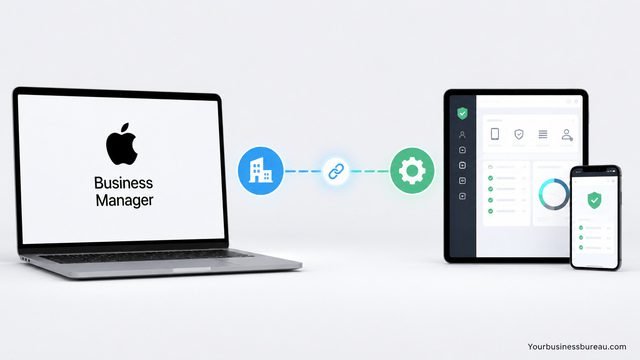
Apple Business Manager becomes significantly more powerful when connected to a Mobile Device Management solution.
An MDM platform automatically configures newly activated devices with company policies, applications, certificates, VPN settings, Wi-Fi profiles, and security controls. Employees can simply turn on a new device, connect to the internet, and complete enrollment without manual IT intervention.
Popular MDM solutions include:
- Microsoft Intune
- Jamf Pro
- VMware Workspace ONE
- Mosyle Business
- Kandji
- IBM MaaS360
After connecting an MDM server, administrators assign devices to it within Apple Business Manager. Once assigned, newly activated devices automatically enroll into management during setup.
Enroll Corporate Devices Automatically
Automated Device Enrollment eliminates manual provisioning and ensures every corporate-owned Apple device follows organizational policies from the moment it is activated.
When businesses purchase devices from Apple or participating authorized resellers, serial numbers are automatically added to Apple Business Manager. IT administrators simply assign those devices to an MDM server before employees receive them.
Employees cannot bypass mandatory management during setup, which improves compliance and reduces support requests.
Devices supported include:
- iPhone
- iPad
- Mac
- Apple TV
- Apple Vision Pro
Automatic enrollment also enables remote deployment for distributed workforces.
Create and Manage Managed Apple Accounts
Managed Apple Accounts provide employees with organization-owned identities instead of personal Apple IDs.
Unlike consumer Apple IDs, Managed Apple Accounts remain under company ownership and support enterprise administration. Organizations control password policies, account lifecycle, and access after employees leave.
These accounts support collaboration across Apple services while maintaining organizational security.
Typical capabilities include:
- iCloud collaboration
- Shared documents
- Apple productivity apps
- Password management
- Enterprise authentication
- Organizational ownership
Many organizations synchronize identities directly from Microsoft Entra ID or another identity provider to simplify account provisioning.
Purchase and Distribute Apps Efficiently
Apple Business Manager simplifies software licensing through Apps and Books.
Instead of reimbursing employees for purchases or asking users to sign into personal Apple IDs, organizations purchase application licenses in bulk and assign them directly to users or devices.
Licenses can be reassigned when employees change departments or leave the company, maximizing software investments.
Common app categories include:
- Productivity
- Security
- CRM
- Collaboration
- Accounting
- Field service
- Healthcare
- Inventory management
Organizations can distribute both free and paid applications without requiring employee purchases.
Deploy Content Across Multiple Locations
Organizations operating multiple offices often need separate purchasing and deployment workflows.
Apple Business Manager supports multiple locations under one organizational account. Each location maintains independent app licenses, purchasing records, and management responsibilities while remaining centrally administered.
This structure works particularly well for:
- Retail chains
- Healthcare systems
- Financial institutions
- Government agencies
- Manufacturing companies
- International businesses
Separate locations also improve financial reporting and software allocation.
Secure Apple Devices with Centralized Policies

Security becomes much easier when every device follows standardized corporate configurations.
Administrators use MDM policies together with Apple Business Manager to enforce encryption, passcodes, FileVault, Activation Lock management, Wi-Fi settings, VPN profiles, certificates, and software restrictions.
Additional controls may include:
- Remote lock
- Remote wipe
- Lost Mode
- Application restrictions
- Web content filtering
- Camera restrictions
- USB restrictions
- Password complexity
These controls reduce security risks while supporting compliance requirements.
Integrate Identity Providers for Simplified Authentication
Modern organizations prefer centralized identity management rather than maintaining separate account systems.
Apple Business Manager integrates with identity providers to automate account creation, authentication, and lifecycle management. Employees can often use existing corporate credentials to access supported Apple services.
Identity synchronization reduces administrative overhead while improving consistency across enterprise systems.
Benefits include:
- Automated user provisioning
- Simplified onboarding
- Faster offboarding
- Password synchronization
- Reduced help desk requests
- Stronger authentication controls
Manage Device Inventory Effectively
Keeping track of corporate hardware becomes increasingly difficult as organizations grow.
Apple Business Manager maintains records of enrolled devices and allows administrators to organize them by MDM server, location, or procurement source. This centralized inventory helps IT teams identify assigned devices, prepare deployments, and maintain compliance.
Useful inventory practices include:
- Group devices by department.
- Track procurement dates.
- Separate testing devices.
- Assign naming conventions.
- Review inactive devices.
- Audit device ownership regularly.
A structured inventory reduces administrative complexity and improves lifecycle planning.
Plan Device Lifecycle Management
Managing devices throughout their lifecycle improves operational efficiency and lowers costs.
Organizations should establish processes for procurement, enrollment, deployment, maintenance, reassignment, retirement, and secure disposal. Apple Business Manager supports these processes by maintaining organizational ownership and simplifying reassignment between users or departments.
Lifecycle planning should include:
| Lifecycle Stage | Administrative Action |
| Procurement | Purchase through authorized channels |
| Enrollment | Automatic registration |
| Deployment | Assign to MDM |
| Active Use | Policy enforcement |
| Reassignment | Update user assignment |
| Retirement | Remove management and erase data |
Planning ahead reduces downtime and ensures a consistent user experience.
Monitor Compliance and Administrative Activity
Routine monitoring helps organizations verify that devices remain compliant with security and operational standards.
IT teams should regularly review administrator permissions, device assignments, application licenses, and user accounts. Audit logs and reports generated by connected MDM solutions complement Apple Business Manager by providing visibility into policy enforcement and device health.
Regular reviews also help identify unused licenses, inactive accounts, and devices that require updates or reassignment. Establishing scheduled audits supports regulatory compliance and strengthens organizational governance.
Optimize Large-Scale Apple Deployments
As organizations expand, standardized deployment processes become increasingly valuable.
Documenting procedures for procurement, enrollment, security configuration, software deployment, and employee onboarding creates a repeatable workflow that scales across hundreds or thousands of devices. Automation reduces manual effort while maintaining consistency.
Organizations should also test configuration changes with a pilot group before rolling them out broadly. This practice minimizes disruptions and allows IT teams to validate policies and application compatibility in advance.
Best Practices for Apple Business Manager
Following established operational practices improves reliability and security over the long term.
Some of the most effective recommendations include:
- Purchase devices through Apple or authorized resellers to enable automatic enrollment.
- Connect Apple Business Manager with a trusted MDM platform before deploying devices.
- Use Managed Apple Accounts instead of personal Apple IDs for work-related services.
- Apply least-privilege access when assigning administrator roles.
- Review app licenses periodically and reclaim unused assignments.
- Integrate with an identity provider to streamline user management.
- Maintain accurate inventory records and naming conventions.
- Test policy changes on a limited set of devices before organization-wide deployment.
- Schedule regular audits of administrator activity and device compliance.
- Develop documented procedures for onboarding, reassignment, and retirement.
These practices help organizations maintain a secure, efficient, and scalable Apple environment.
Conclusion
Apple Business Manager provides the foundation for modern Apple device management in organizations of every size. By combining automated device enrollment, Managed Apple Accounts, centralized purchasing, inventory management, and integration with mobile device management platforms, businesses can simplify IT operations while strengthening security.
When implemented alongside a capable MDM solution and clear administrative processes, Apple Business Manager reduces deployment time, improves compliance, streamlines software distribution, and enhances the employee experience. Organizations that invest in proper planning, role-based administration, and lifecycle management are well positioned to support growth while maintaining control over their Apple ecosystem.
Read Also: Does Home Depot Take Apple Pay? Complete Payment Guide for In‑Store and Online Purchases
FAQ’s
Yes. Apple Business Manager is provided at no additional cost for eligible organizations. Businesses typically incur costs only for their MDM solution, hardware, software licenses, and related IT services.
No. Apple Business Manager complements an MDM solution rather than replacing it. It handles enrollment, account management, purchasing, and device assignment, while the MDM platform enforces policies, deploys configurations, and manages devices after enrollment.
Yes. Small businesses can benefit from automated device enrollment, centralized purchasing, and Managed Apple Accounts, especially as they grow their fleet of Apple devices.
Apple Business Manager supports iPhone, iPad, Mac, Apple TV, and Apple Vision Pro, provided the devices are eligible for enrollment and meet Apple’s requirements.
Organizations can permit personal Apple IDs depending on their policies. However, using Managed Apple Accounts for business services provides better administrative control, security, and lifecycle management.
Yes. Administrators can reassign devices through their MDM solution and Apple Business Manager as employees change roles or departments. Proper reassignment includes removing corporate data from the previous user and applying the appropriate configuration for the new user.


