





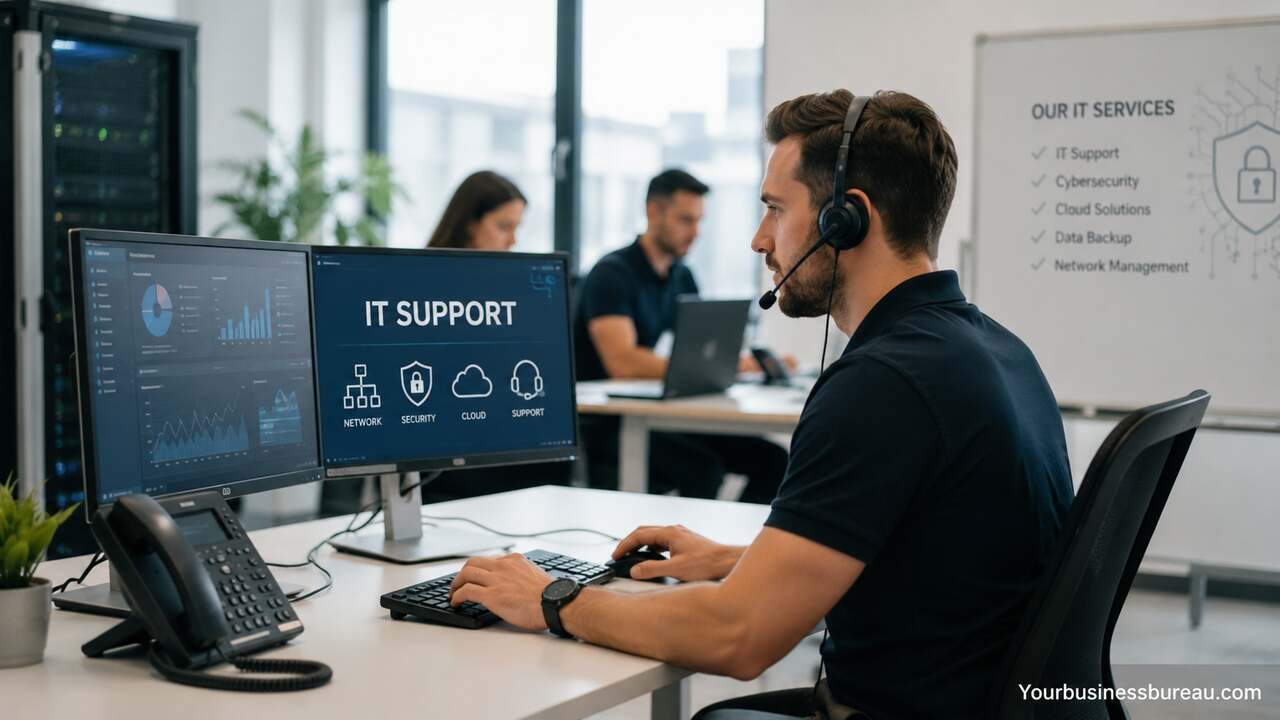
Business IT support helps organizations keep technology systems running smoothly, protect data, improve productivity, and support business growth. It ensures that networks, cloud services, cybersecurity, and business applications remain reliable, reducing downtime, preventing disruptions, and minimizing potential revenue loss.
A well-structured business IT support strategy ensures that employees can access the tools they need, customers receive uninterrupted service, and leadership teams can focus on business objectives instead of technical problems. From help desk services and cybersecurity management to cloud administration and infrastructure monitoring, business IT support creates the foundation that allows organizations to operate efficiently and scale confidently.
Assess Your Current Technology Environment
The first step in establishing effective business IT support is conducting a thorough assessment of the existing technology environment. Organizations should review hardware, software, networks, cloud services, communication systems, and security controls. This evaluation helps identify strengths, weaknesses, and potential risks.
A comprehensive assessment should include workstations, laptops, mobile devices, servers, business applications, collaboration platforms, databases, and internet connectivity. Businesses should document system configurations, software licenses, support contracts, and hardware lifecycles. Understanding these elements provides a clear picture of current capabilities and limitations.
The assessment also reveals operational challenges such as recurring technical issues, aging equipment, slow network performance, inconsistent security practices, or inadequate backup procedures. By identifying these factors early, organizations can prioritize improvements and allocate resources more effectively.
Technology Assessment Checklist
| Area | Key Elements to Review | Expected Outcome |
| Hardware | Computers, servers, printers | Performance and replacement planning |
| Software | Business applications, licenses | Compliance and efficiency |
| Network | Routers, switches, Wi-Fi | Connectivity optimization |
| Security | Antivirus, firewalls, MFA | Risk reduction |
| Cloud Services | Storage, applications, backups | Scalability and accessibility |
| Support Processes | Ticketing and response times | Improved user experience |
Establish Responsive Help Desk Services
A responsive help desk serves as the frontline of business IT support. Employees rely on timely assistance when technical issues interrupt their work. Effective help desk services minimize downtime and improve user satisfaction.
Organizations should implement a structured ticketing system that categorizes incidents based on urgency and impact. Common support requests include password resets, software troubleshooting, email issues, printer problems, network connectivity concerns, and device configuration requests. Clear prioritization ensures critical business operations receive immediate attention.
Beyond issue resolution, help desk teams contribute valuable insights into recurring problems and user behavior trends. Frequent support requests may indicate training gaps, outdated systems, or process inefficiencies. Addressing root causes reduces future support volume and strengthens overall operational performance.
Implement Strong Cybersecurity Protection
Cybersecurity has become one of the most important components of business IT support. Organizations face increasing threats from ransomware, phishing attacks, malware infections, credential theft, and data breaches. A proactive security approach helps protect sensitive information and business continuity.
Businesses should deploy multiple layers of security controls, including firewalls, endpoint protection, multi-factor authentication, email filtering, encryption, and vulnerability management tools. These technologies work together to reduce exposure to cyber threats and unauthorized access.
Security is not limited to technology alone. Employee awareness plays a significant role in preventing incidents. Regular security training, phishing simulations, and policy enforcement help create a culture of cybersecurity awareness. When employees understand potential risks, they become active participants in protecting organizational assets.
Monitor Networks and Infrastructure Continuously
Continuous monitoring allows IT support teams to identify issues before they affect employees or customers. Proactive monitoring improves system availability and reduces costly downtime.
Network monitoring tools track bandwidth utilization, device health, application performance, and connectivity status. Alerts notify IT teams when abnormal activity occurs, enabling rapid investigation and remediation. Early detection often prevents small issues from becoming major disruptions.
Infrastructure monitoring should extend beyond networks to include servers, cloud resources, storage systems, backup platforms, and critical applications. Comprehensive visibility helps organizations maintain consistent performance while supporting future growth and operational demands.
Manage Cloud Services Effectively
Cloud technology has transformed how businesses store data, deploy applications, and collaborate across teams. Effective cloud management is a core responsibility within modern business IT support.
Organizations commonly use cloud platforms for email, file sharing, customer relationship management, enterprise resource planning, collaboration tools, and data storage. Proper administration ensures users have appropriate access while maintaining security and compliance requirements.
Cloud management also includes resource optimization, cost control, backup validation, and performance monitoring. Businesses that actively manage cloud environments often experience greater flexibility, improved scalability, and stronger disaster recovery capabilities compared to organizations with unmanaged cloud deployments.
Strengthen Data Backup and Recovery Processes
Reliable backup and recovery procedures protect businesses from data loss caused by hardware failures, cyberattacks, human errors, or natural disasters. Every business IT support strategy should include comprehensive backup planning.
Organizations should implement automated backup schedules for critical systems, databases, cloud applications, and user files. Multiple backup copies stored in separate locations improve resilience and reduce single points of failure. Backup integrity should be tested regularly to confirm successful recovery.
Recovery planning is equally important. Businesses must define recovery objectives, restoration procedures, and communication protocols. Clear recovery strategies help minimize operational disruption and enable faster restoration of essential services following unexpected incidents.
Backup and Recovery Components
| Component | Purpose | Recommended Practice |
| Daily Backups | Protect current data | Automated scheduling |
| Offsite Storage | Prevent local data loss | Secure cloud storage |
| Recovery Testing | Verify backup reliability | Quarterly testing |
| Version Control | Restore previous files | Multiple retention points |
| Disaster Recovery Plan | Guide restoration efforts | Documented procedures |
| Backup Monitoring | Detect failures quickly | Automated alerts |
Standardize Device and Software Management
Consistent device and software management simplifies support operations and enhances security. Standardization reduces compatibility issues and improves troubleshooting efficiency.
Businesses should establish approved hardware specifications, operating systems, productivity tools, and security applications. Standardized environments enable support teams to resolve issues more quickly because systems follow predictable configurations.
Software lifecycle management is equally important. Regular updates, patch deployment, license management, and application reviews help maintain security and compliance. Organizations that standardize technology environments often experience lower support costs and improved operational reliability.
Create Efficient User Access Controls
Access management ensures employees can use the resources they need while preventing unauthorized access to sensitive information. Business IT support teams play a central role in maintaining secure access controls.
Role-based access policies assign permissions according to job responsibilities. Employees receive access only to systems and data required for their work. This approach reduces security risks while simplifying user management processes.
Access reviews should occur regularly to identify unnecessary permissions, inactive accounts, and policy violations. Organizations must also implement secure onboarding and offboarding procedures to ensure access rights align with workforce changes.
Support Remote and Hybrid Workforces
Remote and hybrid work models require specialized IT support capabilities. Employees need secure access to business systems regardless of location while maintaining productivity and collaboration.
Virtual private networks, cloud applications, endpoint security solutions, and collaboration platforms form the foundation of remote work support. IT teams must ensure these tools operate reliably across different devices and internet connections.
Supporting distributed workforces also involves user training, remote troubleshooting capabilities, and mobile device management. Organizations that invest in remote support infrastructure often achieve greater workforce flexibility and employee satisfaction while maintaining operational efficiency.
Optimize Communication and Collaboration Tools


Communication systems are essential for daily business operations. Email platforms, messaging applications, video conferencing tools, project management software, and document-sharing solutions help teams collaborate effectively.
Business IT support teams should evaluate communication platforms based on reliability, security, integration capabilities, and user experience. Proper configuration reduces technical issues and improves employee adoption rates.
Optimization includes performance monitoring, user training, license management, and integration with other business applications. Well-managed collaboration environments improve information sharing, streamline workflows, and support organizational productivity.
Develop Structured IT Support Processes
Successful business IT support depends on documented processes that ensure consistency and accountability. Standard operating procedures help support teams respond effectively to incidents, requests, and changes.
Organizations should define processes for incident management, problem management, change management, asset management, and service requests. Clear workflows reduce confusion and improve service quality.
Performance metrics provide valuable insight into process effectiveness. Common measurements include ticket resolution times, first-contact resolution rates, customer satisfaction scores, and system availability percentages. Continuous improvement efforts help refine support operations over time.
Maintain Compliance and Regulatory Requirements
Many industries operate under regulations that govern data protection, privacy, security, and operational practices. Business IT support contributes significantly to compliance efforts by implementing appropriate controls and monitoring mechanisms.
Organizations may need to address requirements related to data retention, access controls, audit logging, encryption, vulnerability management, and incident reporting. IT support teams help ensure technical environments align with regulatory expectations.
Compliance activities should include documentation, risk assessments, policy reviews, and employee training programs. Businesses that proactively manage compliance requirements reduce legal risks and strengthen stakeholder confidence.
Build a Scalable IT Infrastructure
As organizations grow, technology demands increase. Business IT support must prepare infrastructure to accommodate expanding workloads, additional users, and evolving business requirements.
Scalable infrastructure planning involves evaluating computing resources, storage capacity, network bandwidth, cloud utilization, and application performance. Capacity planning helps prevent bottlenecks that could affect productivity or customer experiences.
Organizations should regularly review growth projections and technology roadmaps. Aligning infrastructure investments with business objectives ensures that technology remains a growth enabler rather than a limitation.
Enhance Vendor and Technology Management
Most businesses rely on multiple technology vendors for hardware, software, cloud services, internet connectivity, and cybersecurity solutions. Effective vendor management helps maximize value while reducing operational risk.
IT support teams should maintain vendor inventories, support agreements, licensing records, and renewal schedules. Monitoring vendor performance helps ensure service expectations are met consistently.
Strategic vendor relationships can also provide access to specialized expertise, product updates, training resources, and innovation opportunities. Businesses that actively manage vendor partnerships often achieve stronger technology outcomes and better cost control.
Train Employees on Technology Best Practices
Employee education is a valuable component of business IT support. Even the most advanced technology systems can experience problems when users lack proper knowledge or awareness.
Training programs should cover cybersecurity practices, password management, software usage, collaboration tools, remote work procedures, and data protection responsibilities. Well-trained employees are more productive and less likely to generate preventable support incidents.
Continuous education supports technology adoption and organizational change initiatives. As businesses introduce new tools and processes, structured training helps employees adapt successfully and maximize technology investments.
Measure IT Support Performance Regularly
Performance measurement allows organizations to evaluate the effectiveness of their business IT support operations. Metrics provide visibility into service quality, operational efficiency, and technology reliability.
Common performance indicators include ticket volumes, response times, resolution times, system uptime, customer satisfaction ratings, security incident frequency, and infrastructure availability. Tracking these measurements helps identify opportunities for improvement.
Regular reporting supports informed decision-making and resource planning. Leadership teams gain a clearer understanding of technology performance and can prioritize investments that deliver meaningful business outcomes.
Key IT Support Metrics
| Metric | Purpose | Target Example |
| First Response Time | Measure responsiveness | Under 30 minutes |
| Resolution Time | Measure efficiency | Under 8 hours |
| System Uptime | Measure reliability | 99.9% or higher |
| Customer Satisfaction | Measure service quality | Above 90% |
| Security Incident Rate | Measure risk exposure | Continuous reduction |
| Ticket Backlog | Measure workload balance | Minimal backlog |
Align IT Support With Business Goals
Technology should directly support organizational objectives. Business IT support becomes more valuable when it aligns with revenue growth, customer experience, operational efficiency, and innovation initiatives.
IT leaders should collaborate with business stakeholders to understand priorities and challenges. This partnership helps ensure support services address real business needs rather than focusing solely on technical considerations.
Strategic alignment also improves investment decisions. Organizations can prioritize projects that deliver measurable business value while avoiding unnecessary expenditures. When technology and business goals work together, companies gain a competitive advantage and stronger long-term performance.
Conclusion
Business IT support serves as the foundation for secure, reliable, and productive operations in modern organizations. Effective support encompasses help desk services, cybersecurity protection, cloud management, infrastructure monitoring, backup and recovery, compliance management, and employee training. Together, these capabilities reduce downtime, improve efficiency, and protect critical business assets.
FAQ’s
Business IT support typically includes help desk services, network management, cybersecurity, cloud administration, software support, device management, data backup, disaster recovery, and user training.
IT support minimizes downtime, resolves technical issues quickly, maintains reliable systems, and ensures employees have access to the tools needed to perform their work efficiently.
Cybersecurity protects business data, customer information, financial records, and operational systems from threats such as ransomware, phishing attacks, malware, and unauthorized access.
Yes. Small businesses often face the same technology and security challenges as larger organizations. Professional IT support helps maintain system reliability, improve security, and reduce operational risks.
Most organizations should perform formal reviews at least annually, with ongoing monitoring and quarterly assessments for critical systems, security controls, and capacity planning.
Outsourced IT support can provide access to specialized expertise, predictable costs, extended service coverage, advanced tools, improved cybersecurity capabilities, and scalable support resources without maintaining a large internal team.