









Remote work has transformed how businesses collaborate, communicate, and manage daily operations. Teams no longer rely on office servers, physical storage devices, or in-person meetings to exchange important documents. Instead, organizations depend on digital systems that allow employees to upload, organize, edit, and distribute files securely from different locations. Efficient file sharing improves productivity, reduces communication delays, and helps remote teams maintain consistency across projects.
Companies that fail to establish reliable file-sharing methods often experience version confusion, data loss, security risks, and workflow interruptions. Modern collaboration platforms solve these challenges by combining cloud storage, permissions management, communication tools, and real-time editing capabilities. Choosing the right approach depends on factors such as team size, security requirements, workflow complexity, internet access, and integration with existing software.
This guide explains five effective ways to share files with your team while working from home. Each method supports remote collaboration differently and can help businesses create a more organized and efficient digital workspace.
Use Cloud Storage Platforms for Centralized Access
Cloud storage platforms provide one of the most efficient ways for remote teams to share files. Instead of sending large attachments through email repeatedly, employees can upload documents to a centralized workspace where authorized users can access them anytime. This structure eliminates duplicate copies and ensures that everyone works from the latest version of a document.
Popular platforms such as Google Drive, Dropbox, Microsoft OneDrive, and Box allow teams to create folders, assign permissions, and organize documents according to departments or projects. Employees can upload spreadsheets, presentations, videos, contracts, and reports into shared directories. Most cloud services also support synchronization across laptops, smartphones, and tablets, making remote access easier for distributed teams.
Cloud storage systems improve collaboration because they reduce dependency on local devices. If a computer fails or an employee changes locations, the files remain accessible through the cloud account. Businesses also benefit from automatic backups, scalable storage plans, and integration with productivity software such as Microsoft 365, Slack, and project management platforms.
| Cloud Platform | Best Feature | Ideal Team Type | Key Benefit |
| Google Drive | Real-time collaboration | Creative and marketing teams | Fast editing and commenting |
| Dropbox | File synchronization | Small businesses | Simple sharing and backups |
| OneDrive | Microsoft integration | Corporate teams | Works seamlessly with Office apps |
| Box | Enterprise security | Large organizations | Advanced compliance controls |
Create Shared Workspaces Inside Collaboration Tools
Collaboration tools combine communication and file sharing into one digital environment. Instead of switching between email, messaging apps, and storage systems, teams can upload and discuss files directly within shared channels or project spaces. This setup streamlines workflows and improves communication clarity.
Platforms such as Slack, Microsoft Teams, and ClickUp allow employees to attach files to conversations, create topic-specific channels, and organize shared resources. Team members can search previous uploads, review feedback, and access documents without requesting them repeatedly. Notifications also alert users when files are updated or when comments require attention.
Integrated collaboration workspaces reduce confusion because communication stays connected to the related document or task. For example, a design file shared in a marketing channel can include feedback, deadlines, and revision notes in the same place. This structure helps remote teams avoid scattered conversations and missing information.
Businesses that use collaboration tools also gain productivity advantages through integrations with cloud storage services, automation systems, and task management software. Employees can generate meeting notes, track approvals, and coordinate workflows without leaving the platform. This connected ecosystem supports faster decision-making and more efficient remote teamwork.
Share Documents Through Real-Time Editing Applications
Real-time editing applications allow multiple employees to work on the same file simultaneously. Instead of downloading documents, editing them offline, and sending revised copies back and forth, team members can collaborate live within a browser-based document editor. This method saves time and prevents version conflicts.
Applications such as Google Docs, Google Sheets, Microsoft Word Online, and Notion provide collaborative editing environments where users can type, comment, suggest revisions, and review changes instantly. Teams working on proposals, reports, content calendars, financial spreadsheets, or meeting agendas benefit significantly from this functionality.
Live editing improves transparency because every participant can see updates as they happen. Managers can monitor progress in real time, contributors can resolve issues faster, and stakeholders can leave comments directly inside the document. Version history features also make it possible to restore earlier drafts if mistakes occur.
Remote teams often struggle with communication delays when files move between multiple people. Real-time editing reduces these bottlenecks by enabling simultaneous collaboration from different locations and time zones. The result is a more responsive workflow that supports productivity and keeps projects moving forward.
| Collaboration Application | Main Purpose | Useful Feature | Best For |
| Google Docs | Document editing | Simultaneous collaboration | Content teams |
| Microsoft Word Online | Office document management | Track changes | Corporate reporting |
| Notion | Workspace organization | Embedded databases | Startup operations |
| Google Sheets | Spreadsheet collaboration | Shared calculations | Finance and analytics teams |
Implement Secure File Transfer Systems for Sensitive Data
Some organizations handle confidential information that requires stronger security controls than standard cloud sharing methods. Legal firms, healthcare providers, financial institutions, and enterprise businesses often need encrypted systems to protect client records, contracts, and internal data. Secure file transfer solutions help organizations maintain privacy and regulatory compliance while supporting remote work.
Secure file transfer methods include encrypted sharing platforms, password-protected links, virtual private networks, and managed file transfer systems. Services such as WeTransfer Pro, Tresorit, ShareFile, and SecureDocs provide advanced security features including end-to-end encryption, expiration dates, access logs, and permission restrictions.
Businesses should also establish security policies for remote employees. Multi-factor authentication, role-based access permissions, antivirus protection, and regular password updates reduce the risk of unauthorized access. Teams that work from home frequently connect through different networks and devices, which increases exposure to cybersecurity threats if file-sharing systems are not properly secured.
A secure file transfer strategy protects both operational continuity and company reputation. Data breaches can lead to financial losses, legal penalties, and customer distrust. By implementing protected sharing systems, organizations create a safer remote environment while maintaining efficient collaboration.
Organize File Sharing Through Project Management Platforms

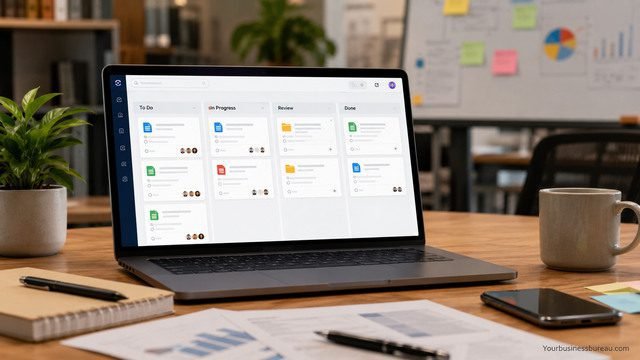
Project management platforms provide structured file sharing that connects documents directly to tasks, deadlines, and workflows. Instead of storing files in disconnected folders, teams can attach resources to projects where they are actively used. This structure improves accountability and simplifies project coordination.
Platforms such as Trello, Asana, Monday.com, and Basecamp allow users to upload files into task cards, assign responsibilities, and monitor progress from a centralized dashboard. Employees can quickly locate documents associated with specific campaigns, deliverables, or milestones without searching through multiple systems.
Task-based file organization helps remote teams stay aligned because every document remains connected to its related activity. Designers can attach creative assets to approval tasks, managers can upload reports into planning boards, and developers can share technical files within sprint workflows. This contextual organization reduces delays and improves visibility across departments.
Project management systems also support automation and reporting features that enhance remote productivity. Teams can trigger notifications when files are updated, automate approval sequences, and monitor completion rates through analytics dashboards. These capabilities help organizations maintain operational consistency even when employees work from different locations.
Build Clear File Naming and Permission Guidelines
Even the best file-sharing tools become inefficient when teams lack organizational standards. Remote employees need consistent naming conventions, folder structures, and access controls to avoid confusion. Without clear guidelines, businesses may experience duplicate uploads, misplaced documents, and unauthorized file access.
Companies should create standardized naming systems that include project names, dates, version numbers, and department identifiers. For example, a marketing proposal might follow a format such as “MarketingCampaign_Q3_V2_2026.” Consistent structures make files easier to search, categorize, and retrieve.
Permission management is equally important for remote collaboration. Team leaders should determine which employees can edit, comment on, download, or share sensitive documents. Restricting access based on job responsibilities minimizes accidental deletions and reduces security risks.
Clear organizational policies create long-term efficiency because employees understand where to store information and how to manage shared resources. A structured system supports faster onboarding for new remote workers and improves operational consistency across the company.
Train Employees to Use Remote Sharing Tools Effectively
Technology alone does not guarantee successful file sharing. Employees must understand how to use collaboration tools correctly and follow company procedures consistently. Training programs help remote teams maximize productivity while reducing technical errors and security issues.
Organizations should provide onboarding sessions that explain how to upload files, assign permissions, collaborate in shared documents, and recover previous versions. Training should also cover cybersecurity practices such as phishing prevention, secure password creation, and identifying suspicious links.
Ongoing education helps businesses adapt as software platforms evolve. Many collaboration tools release new features regularly, including automation options, AI-powered search capabilities, and enhanced integration systems. Teams that stay informed about these updates can improve workflows and reduce manual tasks.
Well-trained employees contribute to smoother communication and stronger digital organization. Consistent platform usage creates predictable workflows, improves project visibility, and strengthens overall collaboration in remote environments.
Monitor File Access and Collaboration Performance

Remote work environments require visibility into how files move across the organization. Monitoring systems help managers understand whether employees can access documents efficiently, collaborate productively, and maintain compliance standards.
Most modern platforms provide analytics dashboards that display user activity, sharing history, and storage usage. Administrators can review access logs, identify unauthorized behavior, and evaluate how frequently teams collaborate on shared files. These insights support better operational planning and security management.
Performance monitoring also helps businesses optimize storage costs and workflow efficiency. If employees struggle to locate documents or repeatedly upload duplicate files, managers can redesign folder structures or improve training processes. Tracking collaboration patterns reveals where communication bottlenecks occur and which departments require additional support.
Data-driven management improves long-term remote operations because organizations can continuously refine their file-sharing systems. Businesses that monitor performance proactively create more reliable workflows and maintain stronger collaboration standards.
Conclusion
Remote work depends heavily on reliable file-sharing systems that support communication, collaboration, and security. Cloud storage platforms provide centralized access, collaboration tools streamline communication, and real-time editing applications improve teamwork efficiency. Secure transfer systems protect confidential information, while project management platforms organize files around workflows and deadlines.
Companies that combine these methods with clear organizational policies and employee training create a more productive remote work environment. Effective file sharing reduces confusion, accelerates decision-making, and ensures that distributed teams remain connected regardless of location.
As remote and hybrid work models continue to expand, businesses that invest in efficient digital collaboration systems will maintain stronger operational performance and better employee coordination. Selecting the right file-sharing strategy can significantly improve workflow reliability, security, and long-term team productivity.
FAQ’s
Cloud storage platforms such as Google Drive and Dropbox work well for small remote teams because they are easy to set up, affordable, and support real-time collaboration.
Businesses can protect sensitive data by using encrypted sharing platforms, enabling multi-factor authentication, restricting permissions, and training employees on cybersecurity practices.
Collaboration tools are often more efficient than email because they centralize communication, reduce duplicate files, and keep discussions connected to shared documents.
Common causes include inconsistent file naming, multiple document versions, poor folder organization, and unclear access permissions.
Project management software improves workflow organization, but many teams still use cloud storage platforms alongside it for larger storage capacity and broader file management features.
Real-time editing allows multiple employees to work on the same document simultaneously, reducing delays and preventing version conflicts during collaborative projects.


